

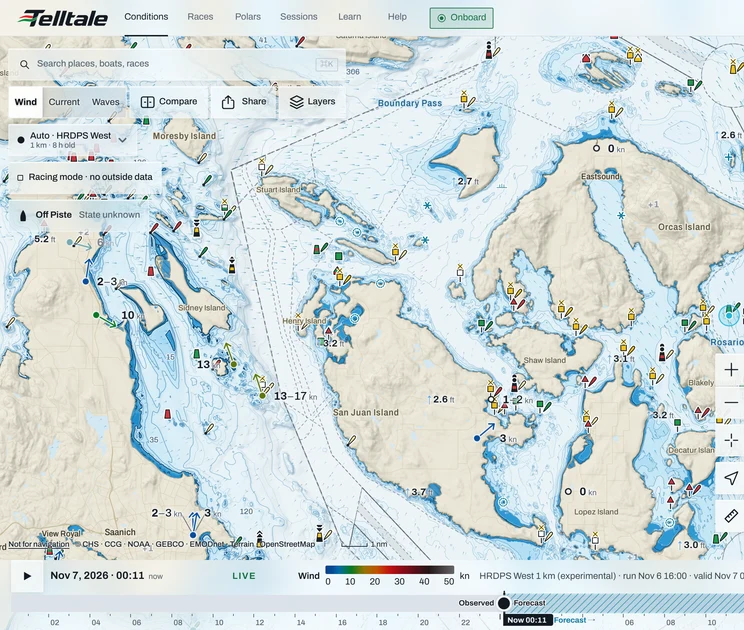

Racing mode stops Telltale taking in outside data once the race starts. Many sailing instructions ban downloaded forecasts and live weather while you race. With Racing mode on, Telltale downloads nothing new until you finish.
Why it exists
Rule 41 of the Racing Rules of Sailing lets you use information that's freely available to all boats. Plenty of sailing instructions go further, especially in offshore and distance races, and ban weather downloads once you've started. Racing mode keeps you within the strictest version. Telltale also keeps a record of every outside request it turned down, with the time, in case a protest committee asks.
Turn it on
Telltale never turns it on for you. It asks when you make a course plan active on your boat, or when a start timer is counting on your phone. The "Record this race?" card has a Racing mode switch on it, so one answer sets up the race.
To turn it on yourself, open Layers on the map and turn on Racing mode at the bottom.
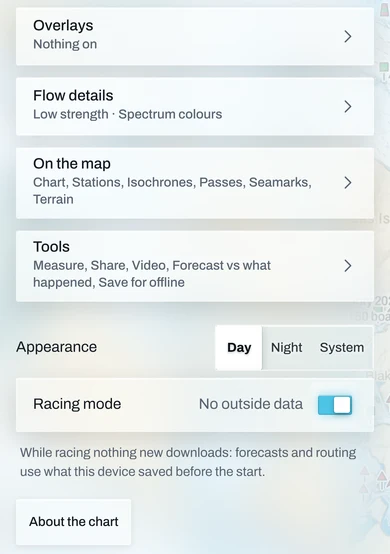
It's tied to your account, so your phone and laptop agree. It also turns on with no signal, and the account catches up when the device is back online.
While it's on
A line on every screen reads "Racing mode · no outside data". The map keeps the forecast it had already loaded. Gate advice is off, and no new forecast runs come in.
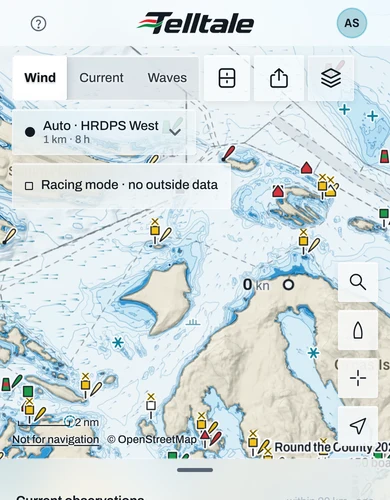
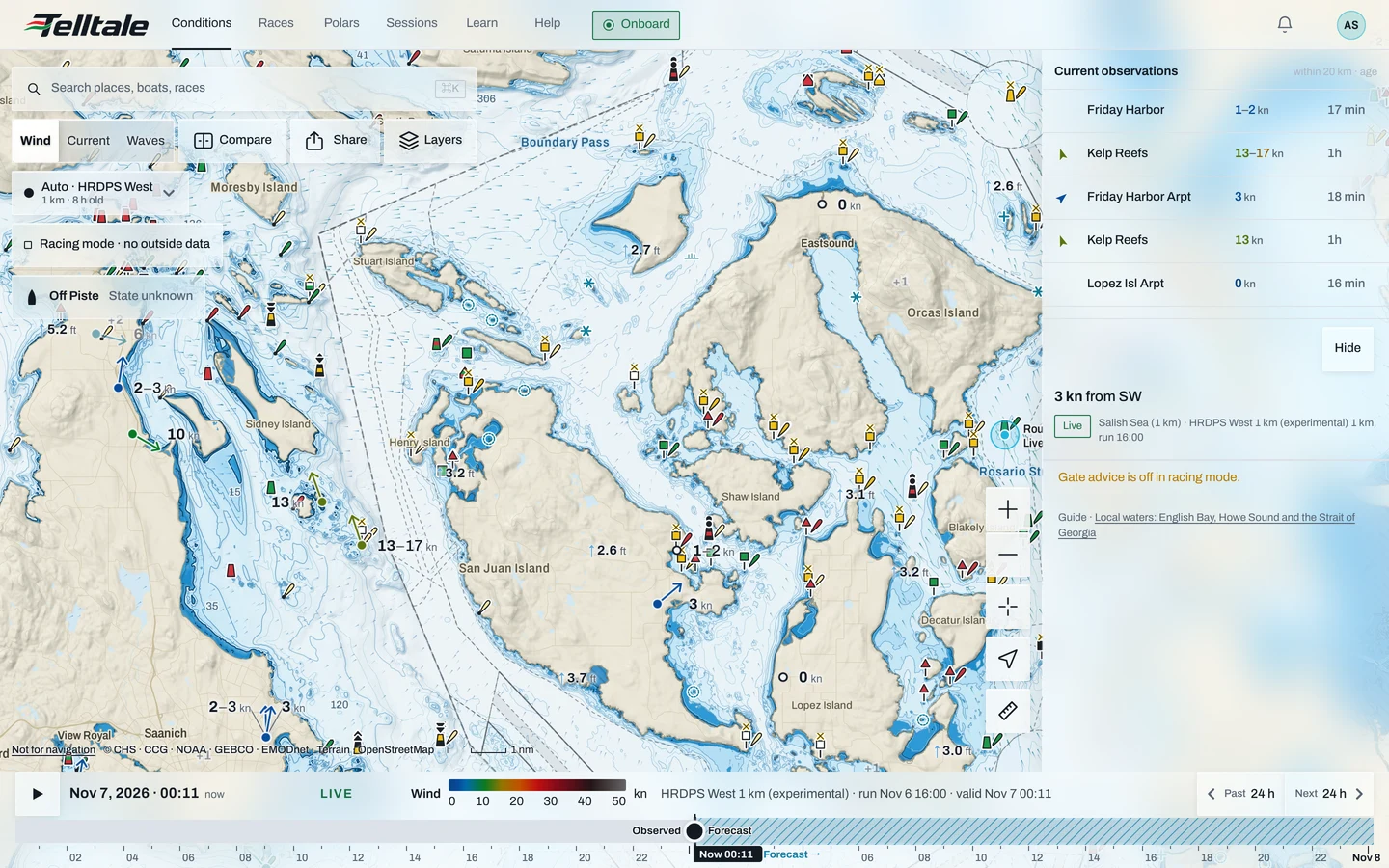
Still working:
- Your boat's own instruments, GPS and AIS.
- Recording, and the start timer.
- The chart, and the forecast you saved for offline. The map reads saved forecasts first while you race.
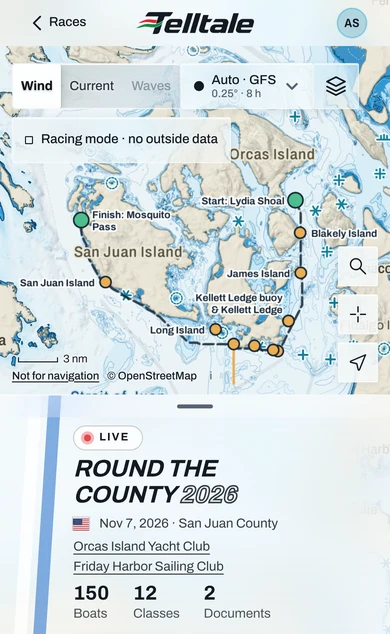
- Your route, as straight legs between its marks with their distances. Racing mode leaves the forecast out of routing, so there are no times or weather routes until you turn it off.
- The race page you opened before the start: course, marks and entries.
Save offline first
Racing mode pauses Save for offline and its updates, because downloading a forecast is outside data too. Save the race area and race page on shore, then turn Racing mode on. See Take your race offline.
Turn it off
It turns off by itself 12 hours after you turned it on, or at the race's time limit when the course has one. A note says it has ended, with a Still racing button if you're not done.
To turn it off sooner, tap the Racing mode line and then Turn off. On the map, the line opens Layers, where you turn the switch off.