

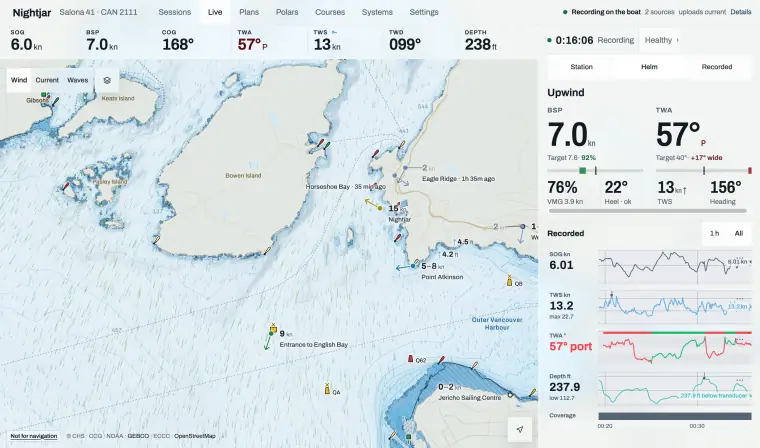
Connect a source
NMEA 0183, NMEA 2000, Signal K, B&G H5000 or Zeus, Victron. With none, the phone’s own GPS.
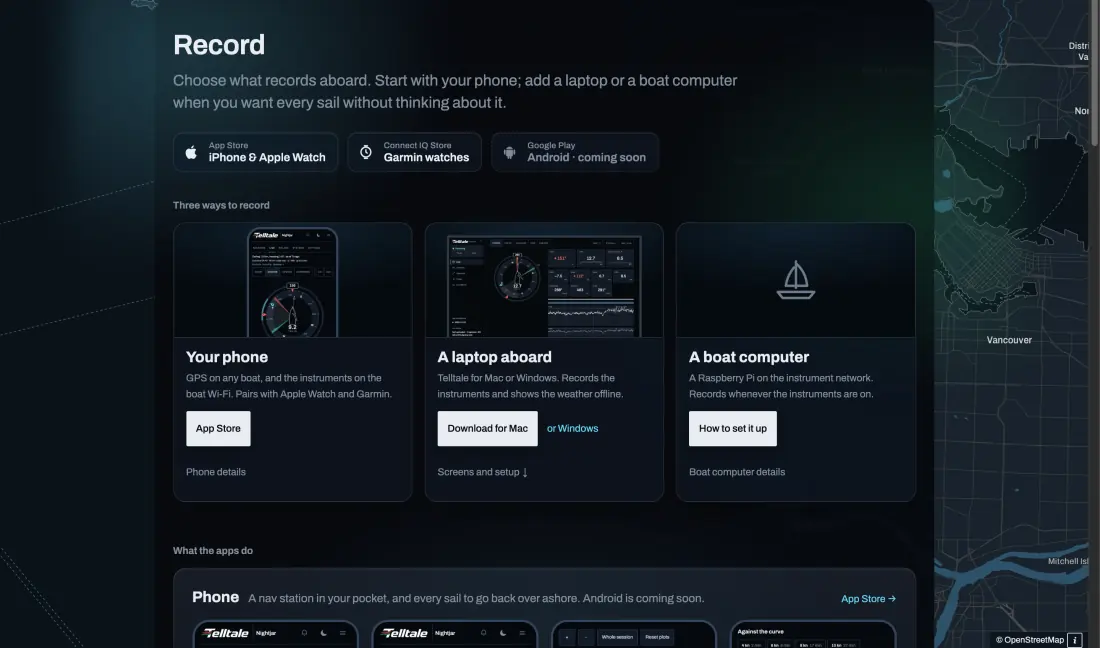
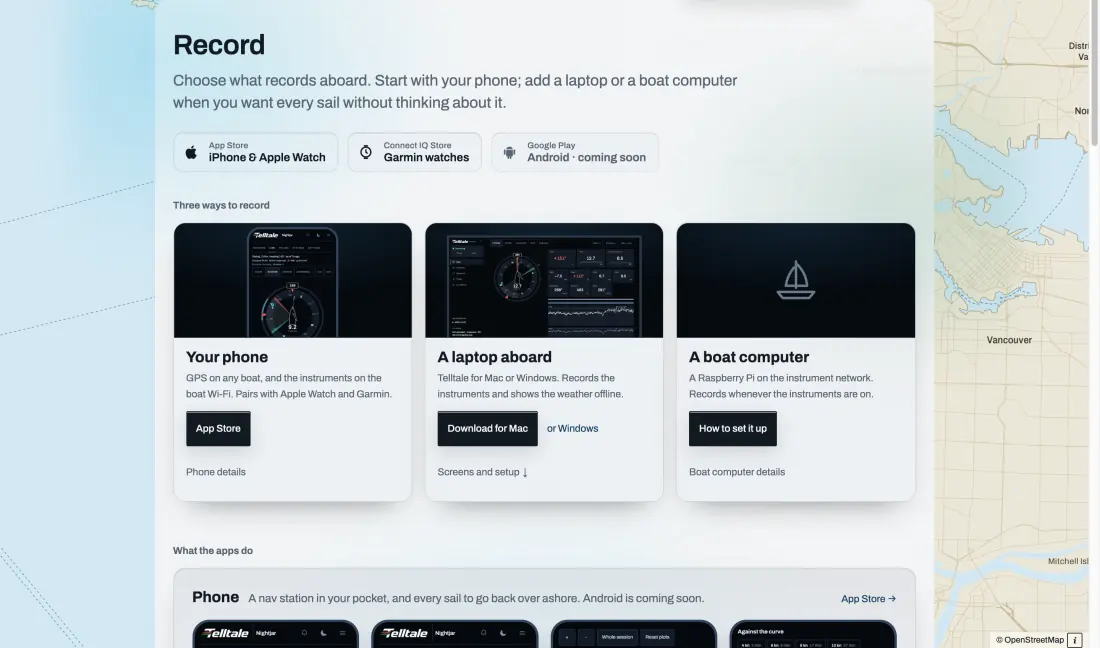
Telltale reads NMEA 0183, NMEA 2000 through an Actisense gateway, Signal K, a B&G H5000 or Zeus, Expedition’s network output, and a Victron Cerbo GX for the boat’s systems. With none of them, the phone records its own GPS, and so can a Garmin watch. An Apple Watch shows what the phone has.
References 1
Helm
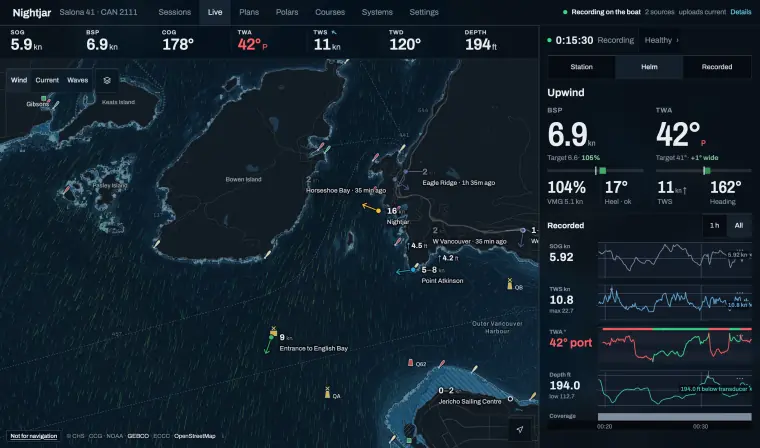
Boat speed and wind angle against your targets, VMG as a percentage, heel and the wind trend. Targets need a polar.
Helm shows boat speed and true wind angle beside the polar’s targets for this wind, VMG as a percentage of target, heel, the true wind and its trend, and heading. Without a polar the targets are hidden and the readings stay.
Next mark
The side to leave it, distance, time at your present VMG and time to the layline.
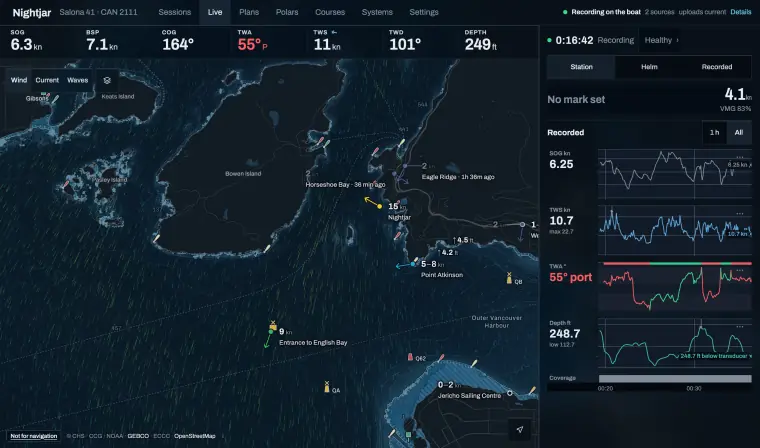
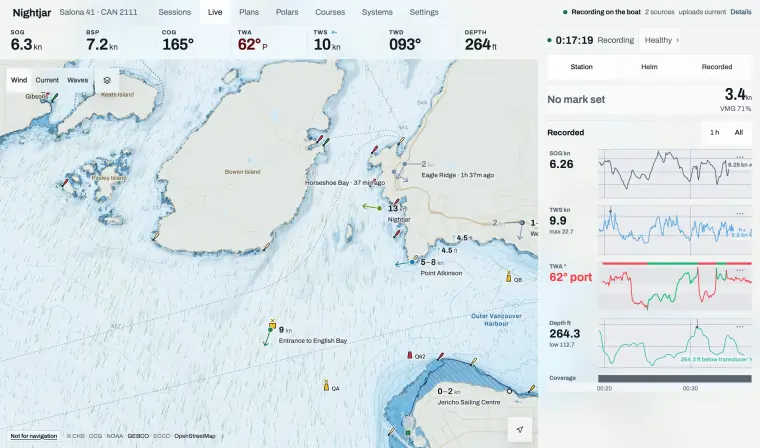
Onboard has Station, Timer, Helm and Recorded pages, with Route first while a route is active. Station shows the next mark and the side to leave it on, the race clock and the legs. Its dock gives the distance to the mark, the time to reach it at your present VMG and the time to the layline. With no mark set, it shows your VMG.
Laylines on the chart
Where to tack for the mark, from the live wind.
With a mark set, Onboard draws the laylines to it on the chart from the live wind, so you can see when you are laid. With a start line set, its bias is drawn there too.
The start
Ping each end or place them on the chart, then read line bias in degrees and metres, the favoured end, time to the line and seconds to burn.
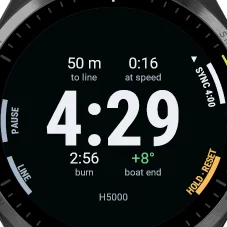
Ping each end from the phone’s GPS as you pass it, or place the ends on the chart. With the wind, Telltale shows the bias in degrees and in metres, the favoured end, your distance and time to the line, and the seconds you have to burn. The watches show the same line figures on their timer pages.
The start on an Apple Watch · On a Garmin
References 2
A timer in step with your H5000
Sync from the phone or the keypad.
The phone keeps the countdown. When the boat’s H5000 is counting too, Telltale keeps them in step: Start, Sync and Stop on either side are reconciled, and a press on the H5000 keypad is adopted. Sending timer commands to the H5000 is off until you turn it on.
References 1
The fleet
AIS boats on the chart, and your place in class.
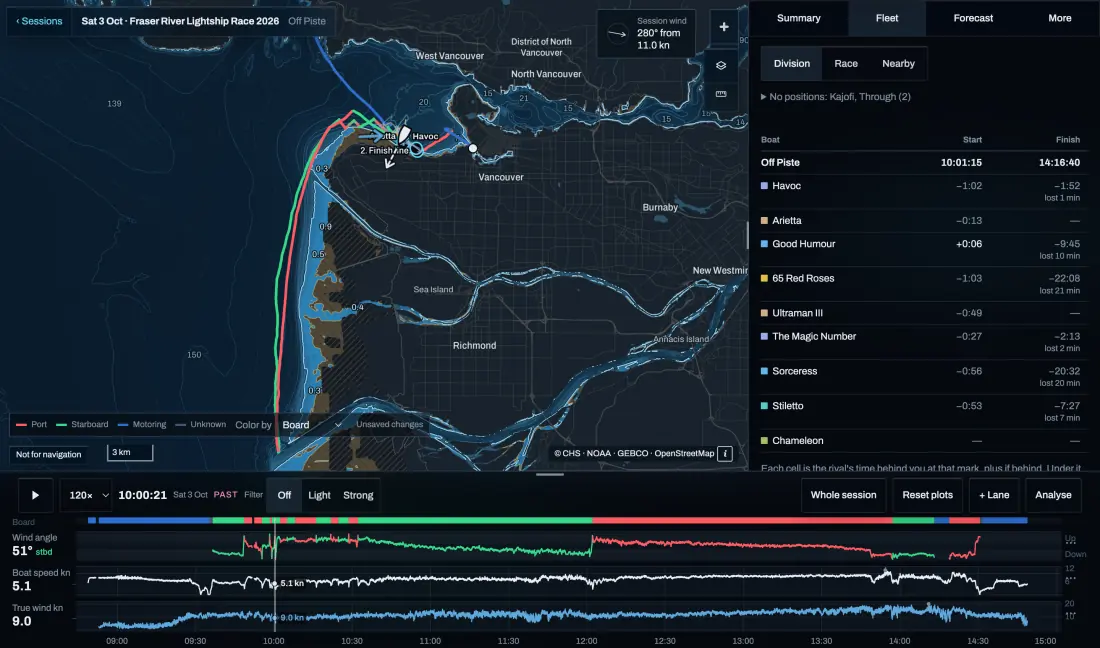
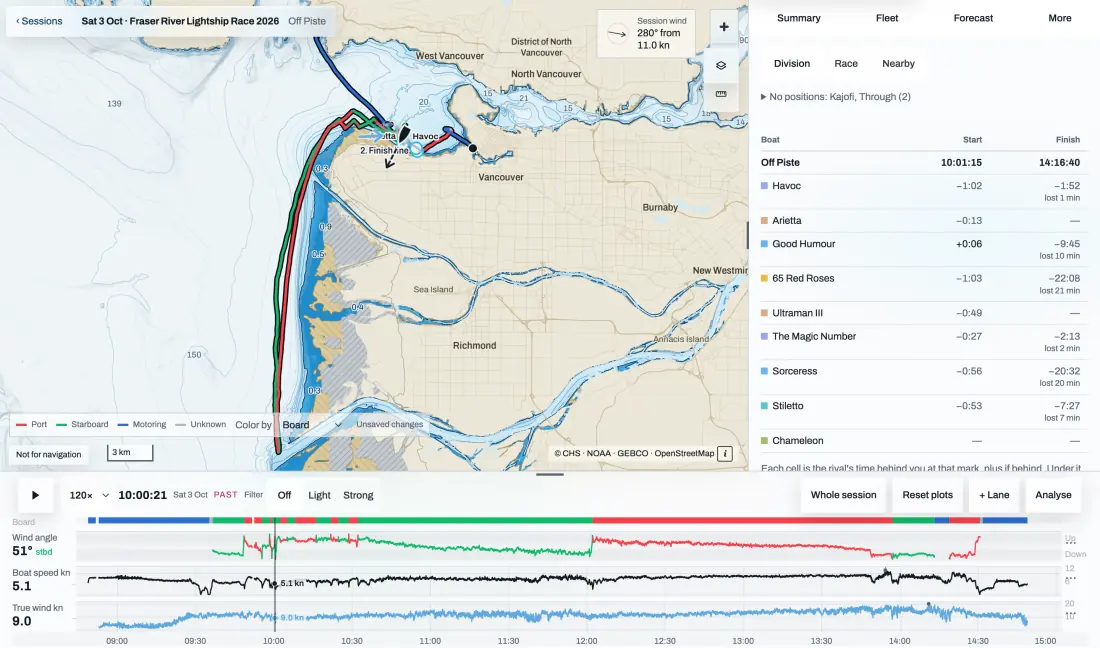
Boats heard on AIS are drawn on the chart around you. When the fleet is known, the dock shows your place in class; otherwise, your VMG. After the race, the session’s Fleet tab sets each rival against you at every mark.
Sources and review
Official references checked on 2026-10-11. Product details and schedules change; the provider’s page is the current word.