

Races near you
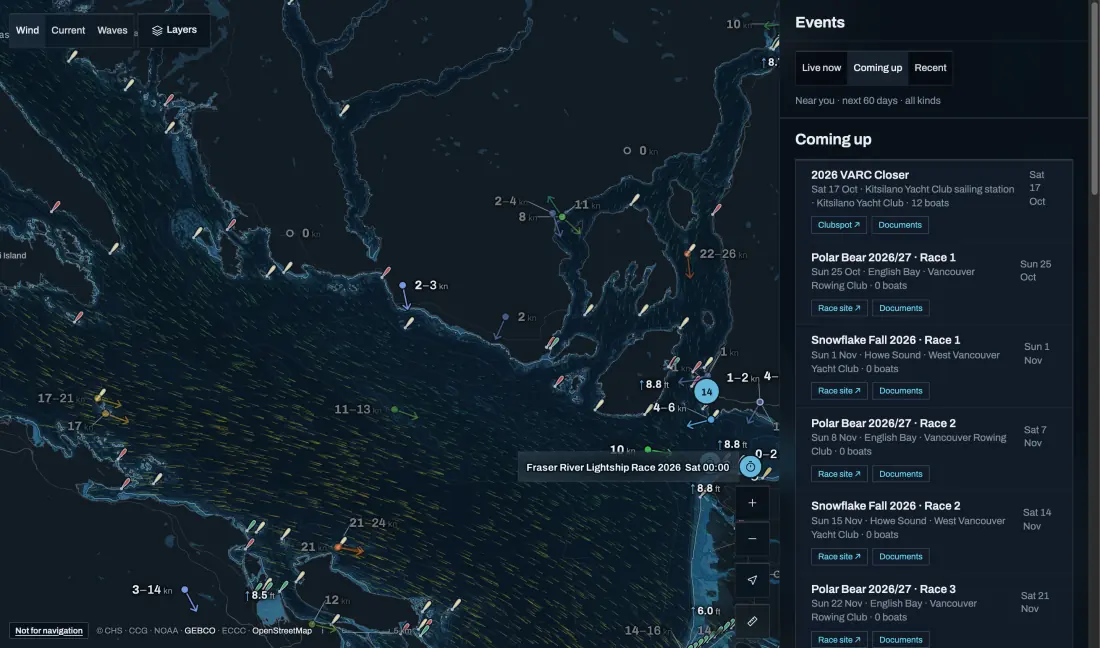
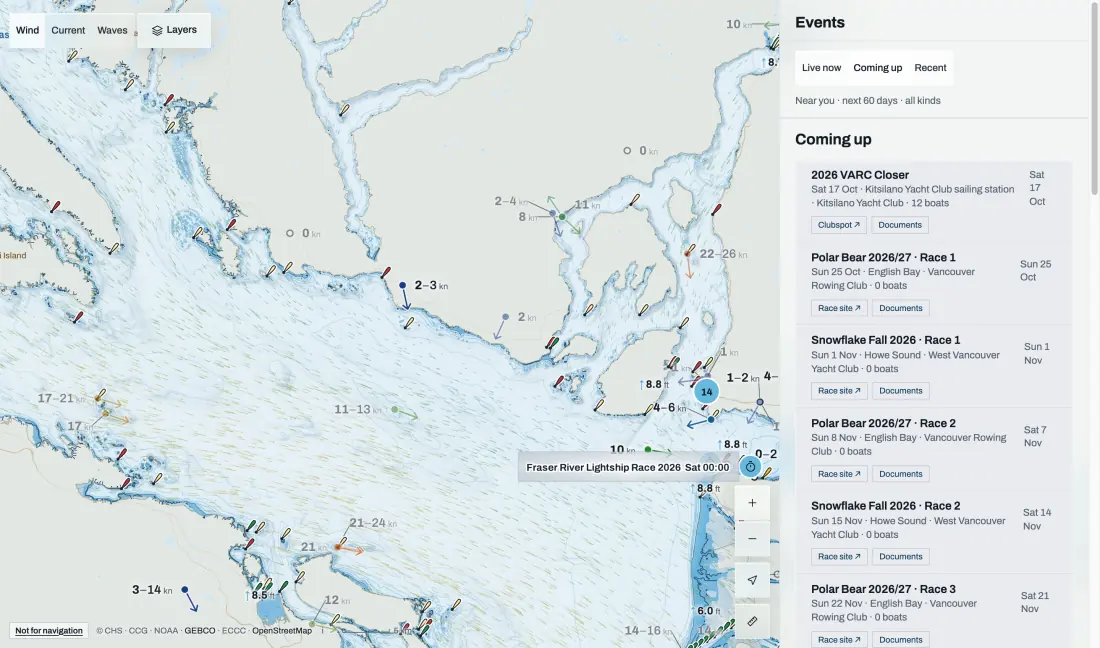
The clubs’ races on one chart: on now, coming up and recent.
The Races page puts the races Telltale knows about on the chart around you, each with the club’s race site and its documents. Follow a club to keep its races at the top of the list.
The sailing instructions as a brief
The documents, read for you, with every line linked to its clause.
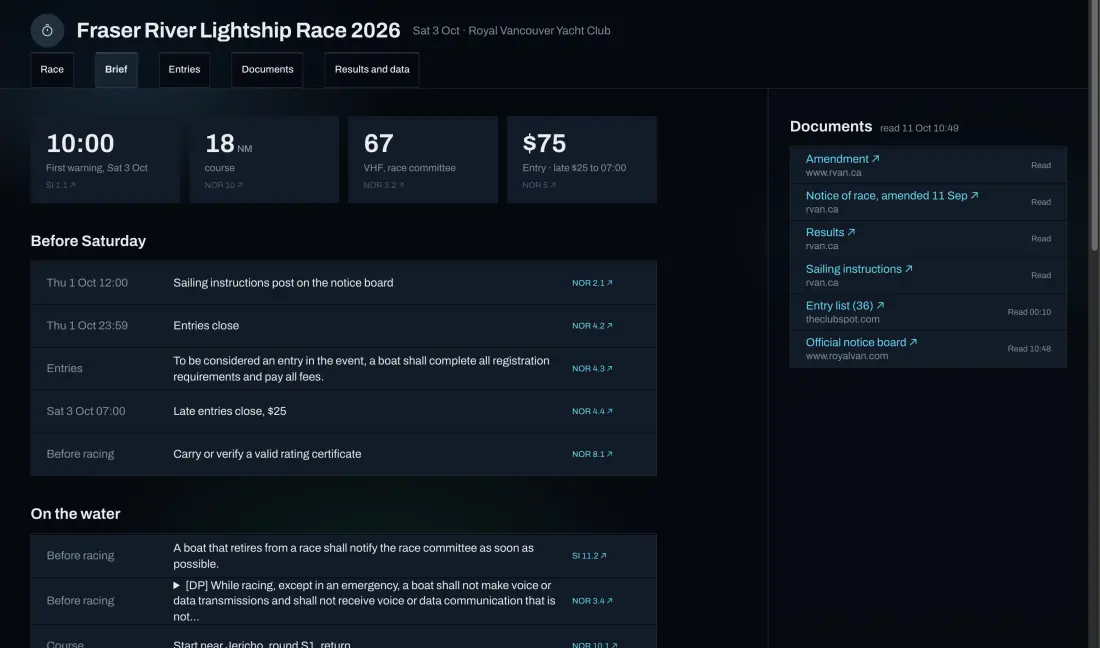
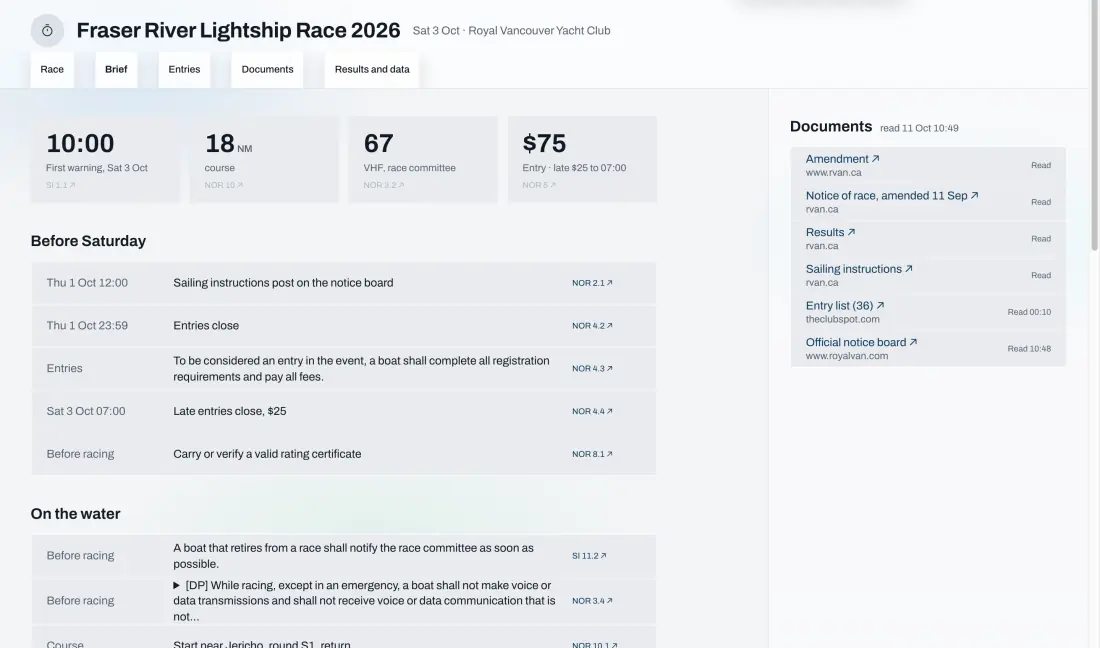
Telltale reads the notice of race, the sailing instructions and their amendments from the club’s site and pulls out what you need on the day: the first warning, the course length, the race committee’s VHF channel and the entry fee, then the deadlines before the race, the rules on the water and what happens ashore. Each line links to the clause it came from, such as SI 1.1 or NOR 3.4, so the wording is one tap away.
Documents lists each one with where it was found and when Telltale last read it. Entries lists the divisions and the boats in each.
References 1
The course on the chart
Marks and legs from the sailing instructions, over the live wind or current.
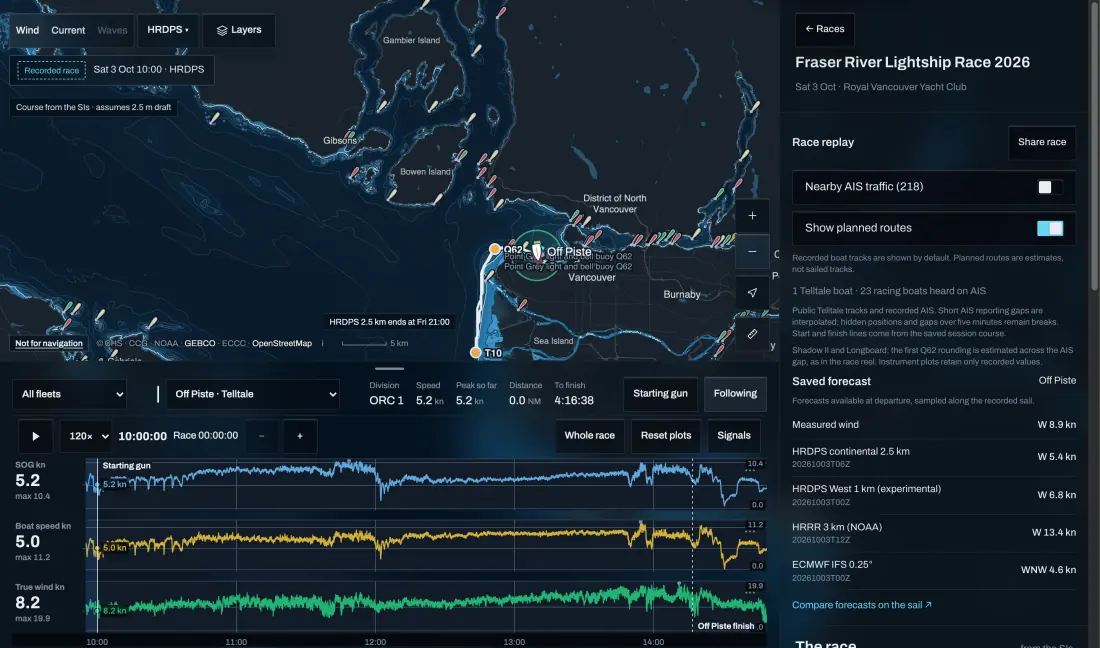
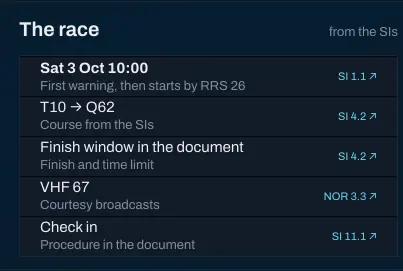
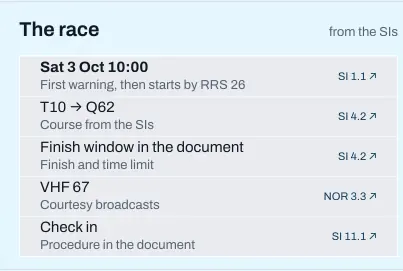
When the sailing instructions give the course, the race page draws it on the chart for an assumed draft, with the marks and the start and finish. The panel beside it lists the facts that matter at the line, each with its clause. Switch the chart between wind and current to see what each leg will meet. Signed in, Route the race sails the course leg by leg for your boat across the forecast models.
The hour before the gun
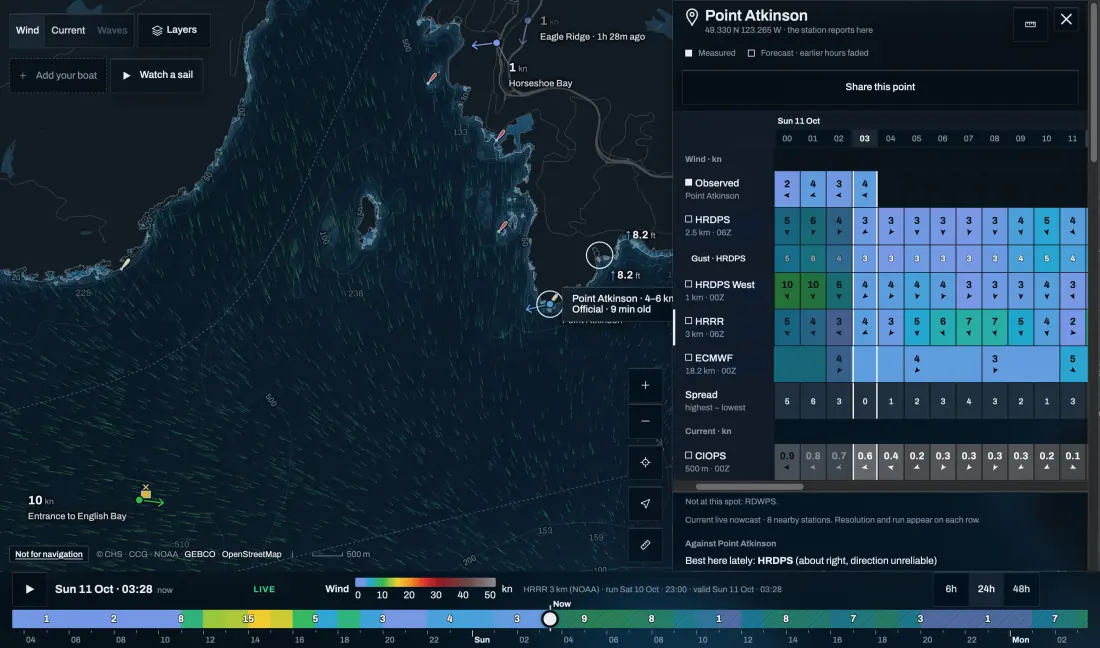
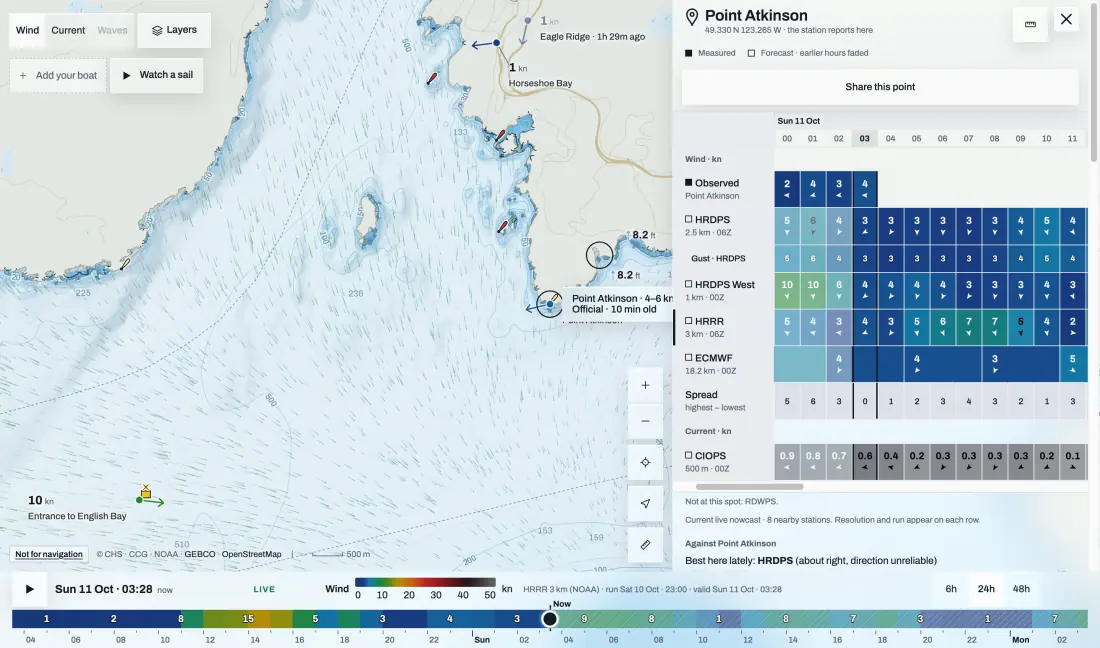
Live stations beat the morning forecast once the day has shown its hand.
Check the stations upwind of the course and around it, and look for the one building first: that is where new wind is coming from.
References 2
The start
Ping the line, read the bias, and start on an exact clock.
Onboard on the phone takes each end of the line from a ping or from the chart, and shows the bias in degrees and metres, the favoured end, the distance and time to the line and the seconds to burn. With a recorder aboard there is one start timer for the boat: anyone can start or sync it from a phone or watch, and everyone aboard sees the same count.
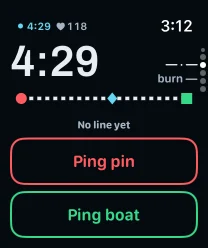
The line on an Apple Watch
Ping the pin and the boat end from the wrist; the countdown and the line share one page.
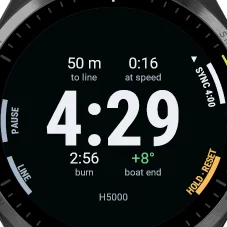
The countdown on a Garmin
Time to the gun, metres to the line, the time to reach it at speed, the seconds to burn and the favoured end.
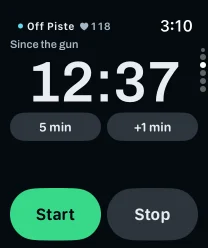
After the gun
The timer keeps the race clock running from the gun.
References 1
Replay the fleet
Every boat at once, from the starting gun to the finish.
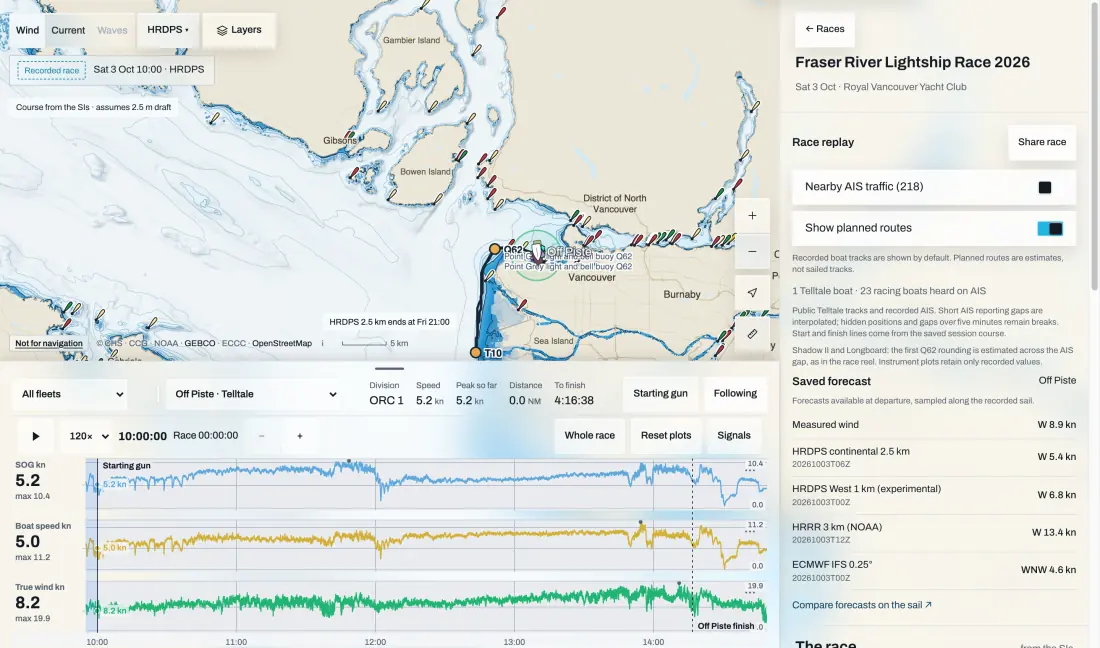
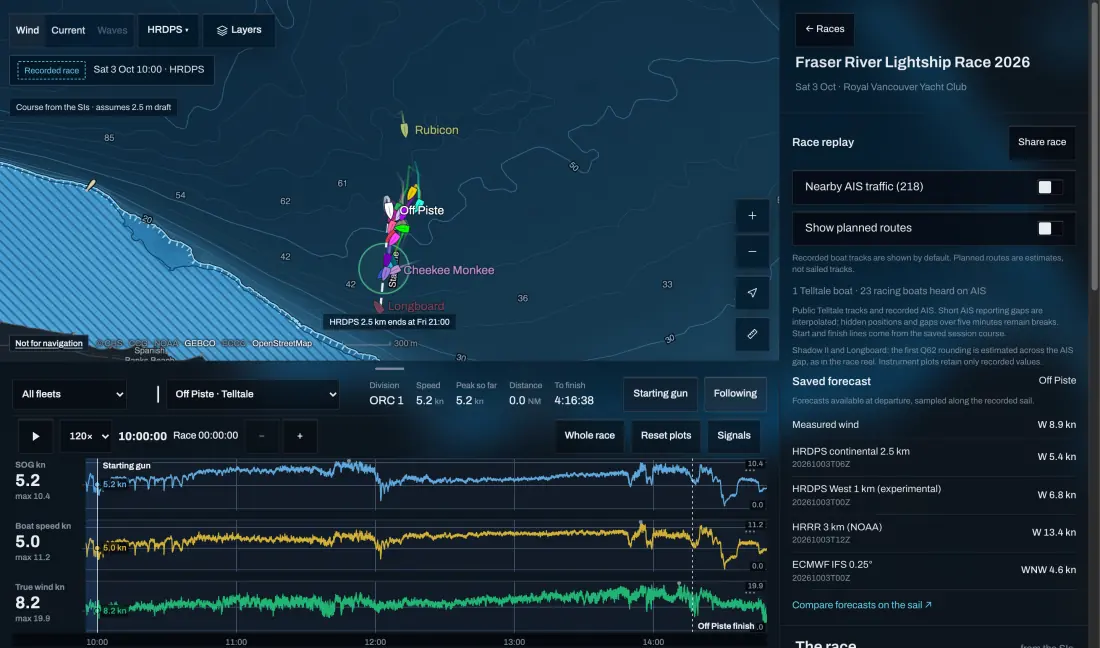
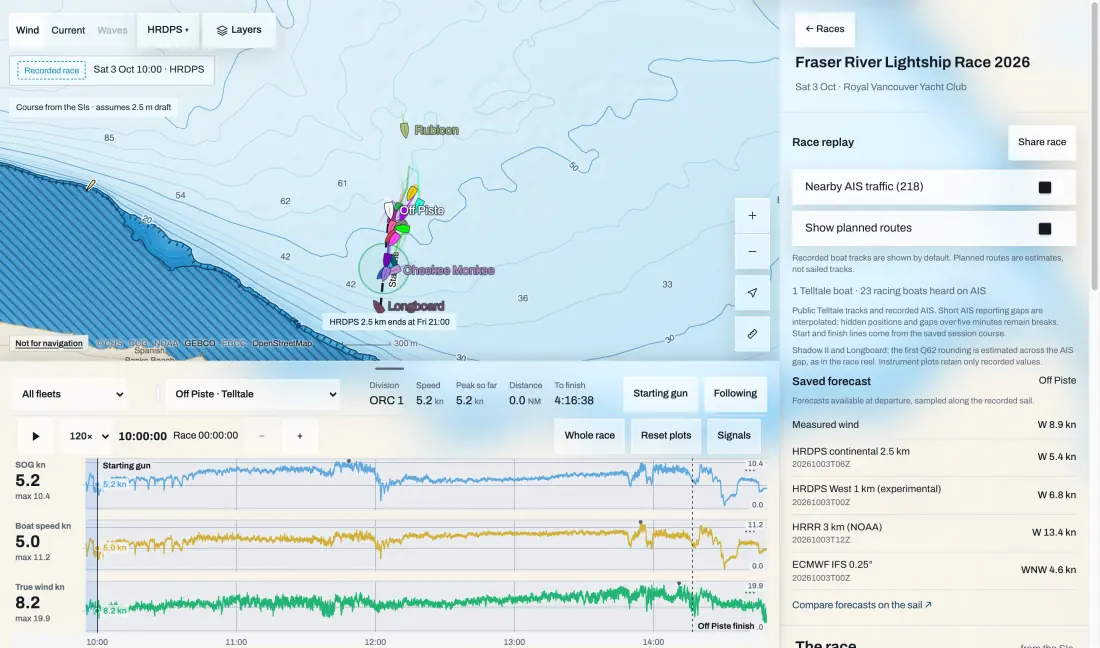
After the race, its page replays the Telltale boats’ own tracks and the rest of the fleet from AIS. Starting gun jumps to the start; pick a boat to see its speed and the wind in the lanes under the chart. Show planned routes adds Telltale’s estimated route for the course, to set against what was sailed.
Your own debrief
Where you gained and lost, against each rival and against your polar.
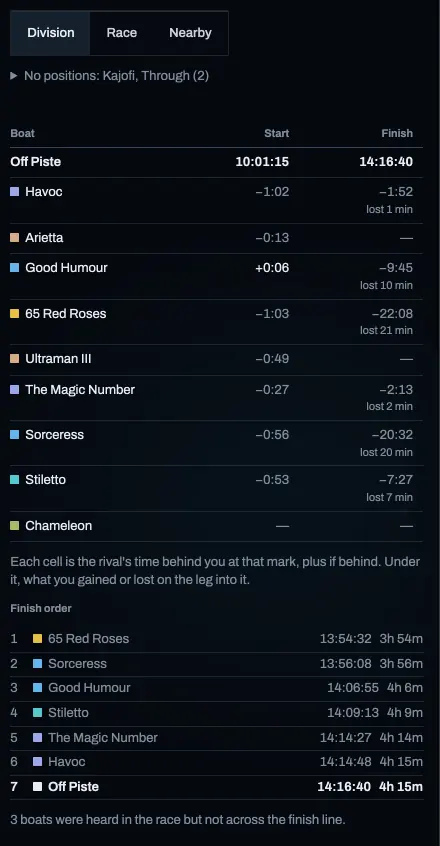
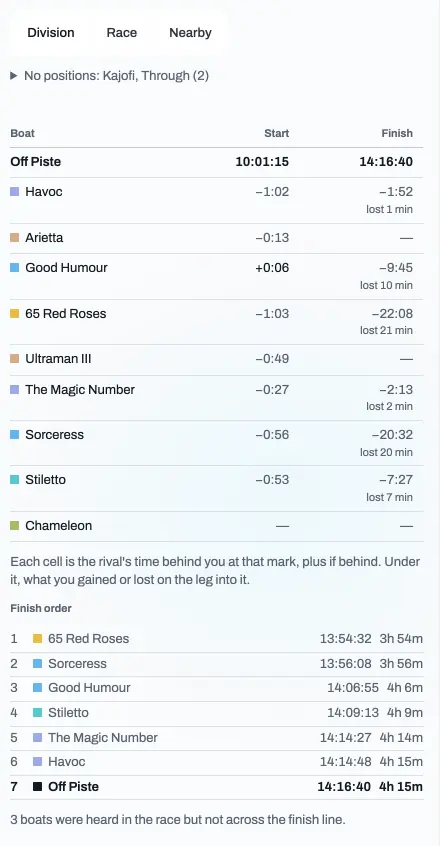
Your session’s Fleet tab sets your time against each rival at every mark, and its Performance tab shows where you were off your polar. Pick the leg that cost the most, look at the wind angle and speed lanes through it, and ask the crew what they saw then.
Sources and review
Official references checked on 2026-10-11. Product details and schedules change; the provider’s page is the current word.