

Ways to record
Any phone gives you the track. Instruments tell you why.
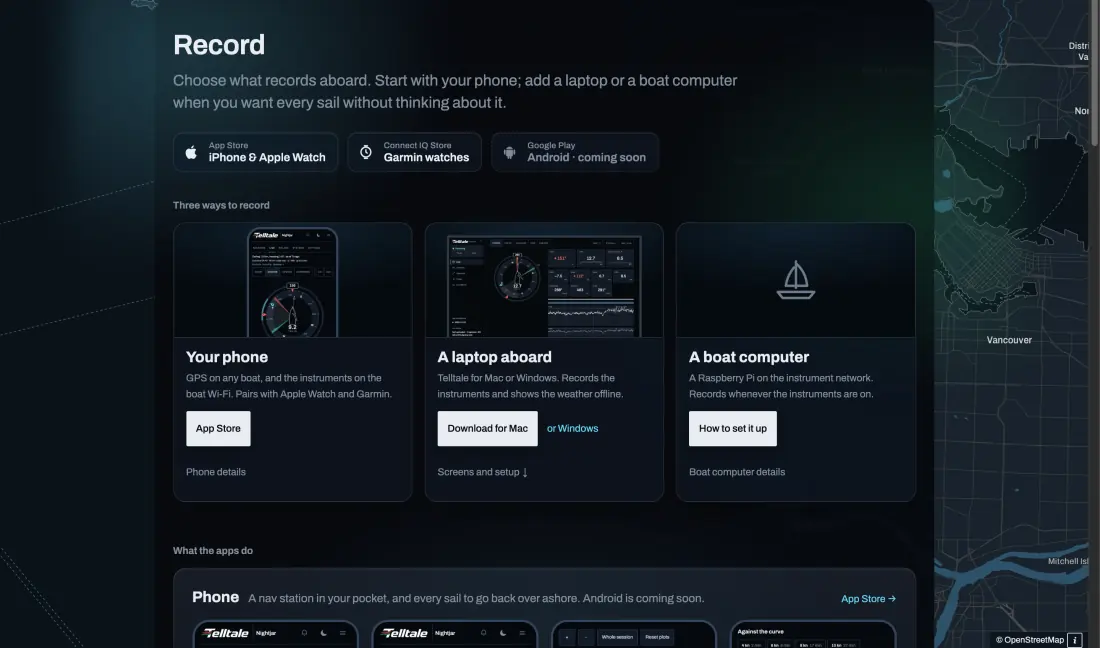
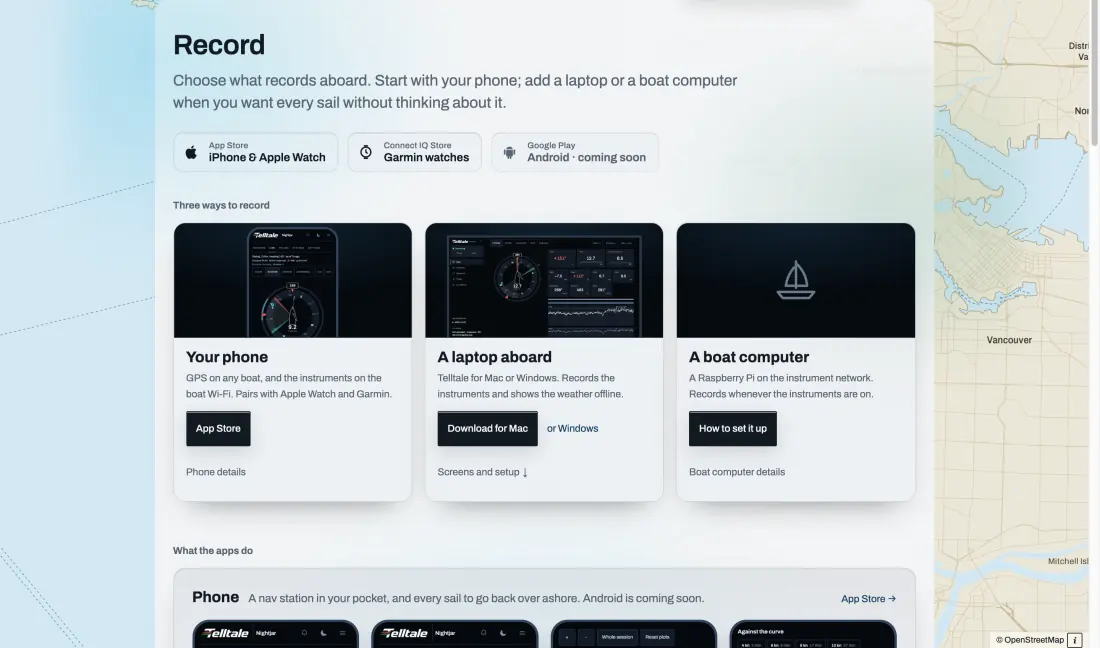
The phone app records its own GPS on any boat, and the boat’s instruments when it is on the boat Wi-Fi with a Telltale recorder aboard. Telltale Desktop on a laptop, or a small boat computer on the boat network, records every instrument whenever they are on, without anyone pressing a button.
Boat speed through the water and true wind are what make the review useful: with them, every stretch can be compared with your polar. With GPS alone you get the track, speed over ground and the tacks.
References 1
The session page
The track on the chart, the numbers beside it and the lanes under it, all on one clock.
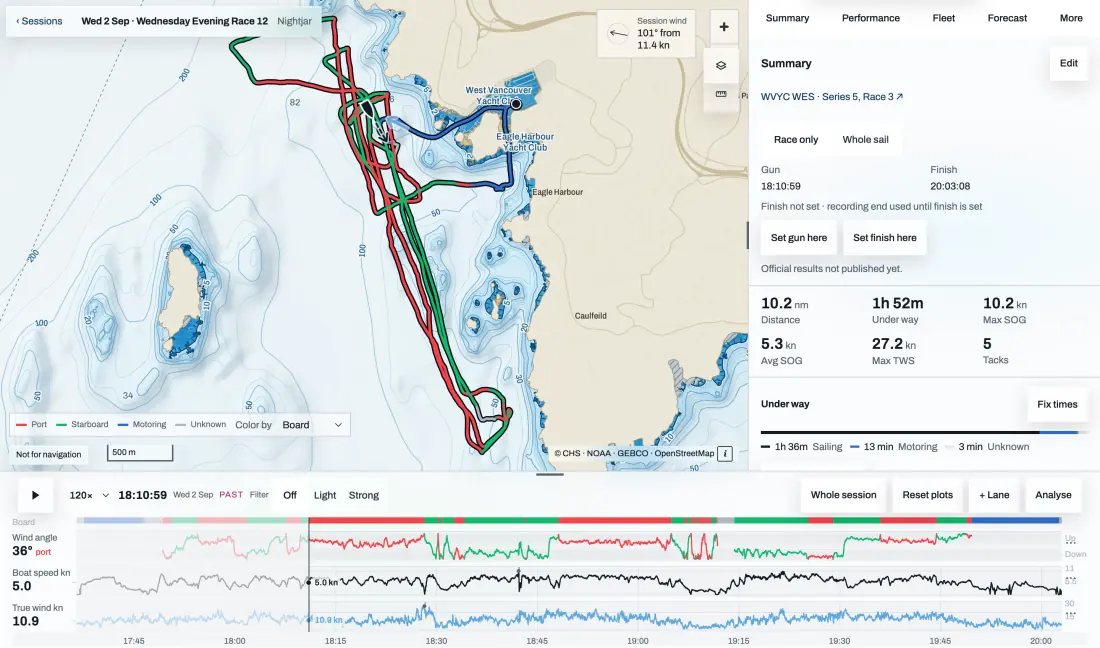
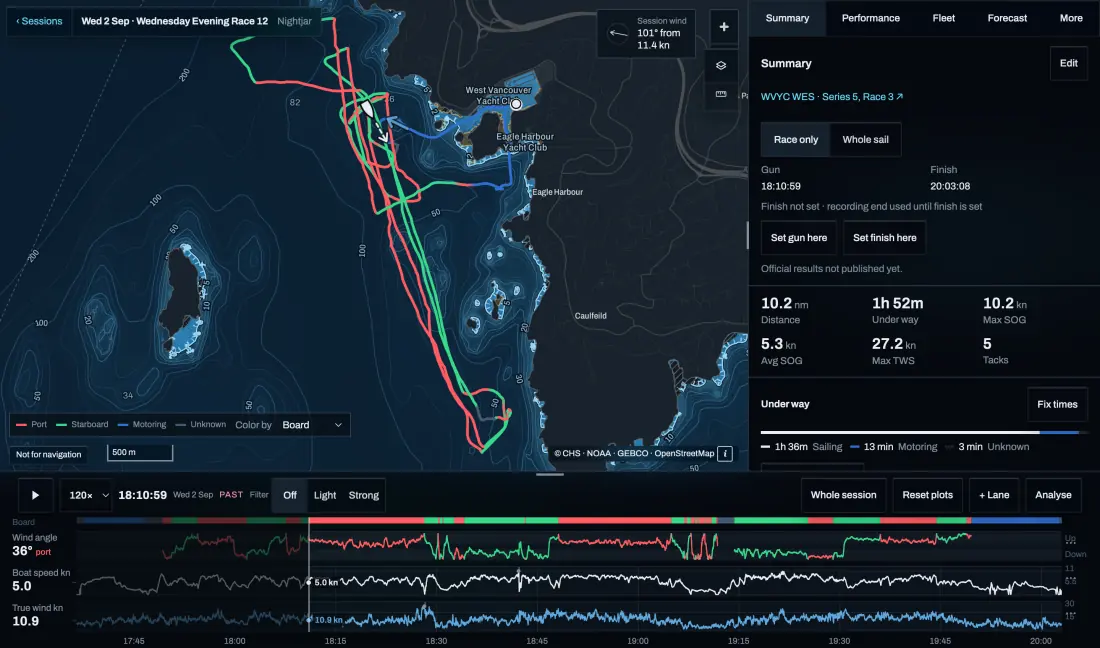
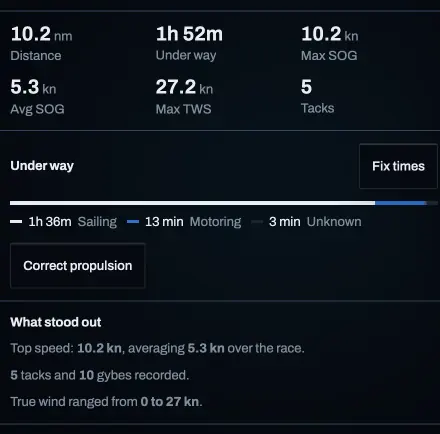
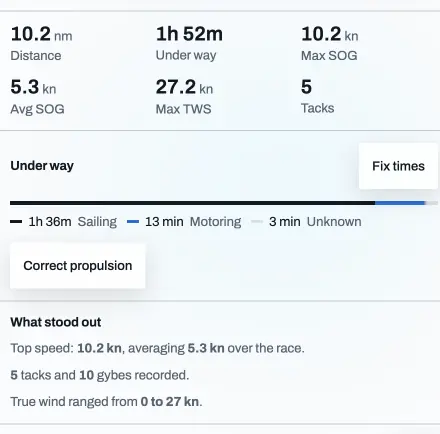
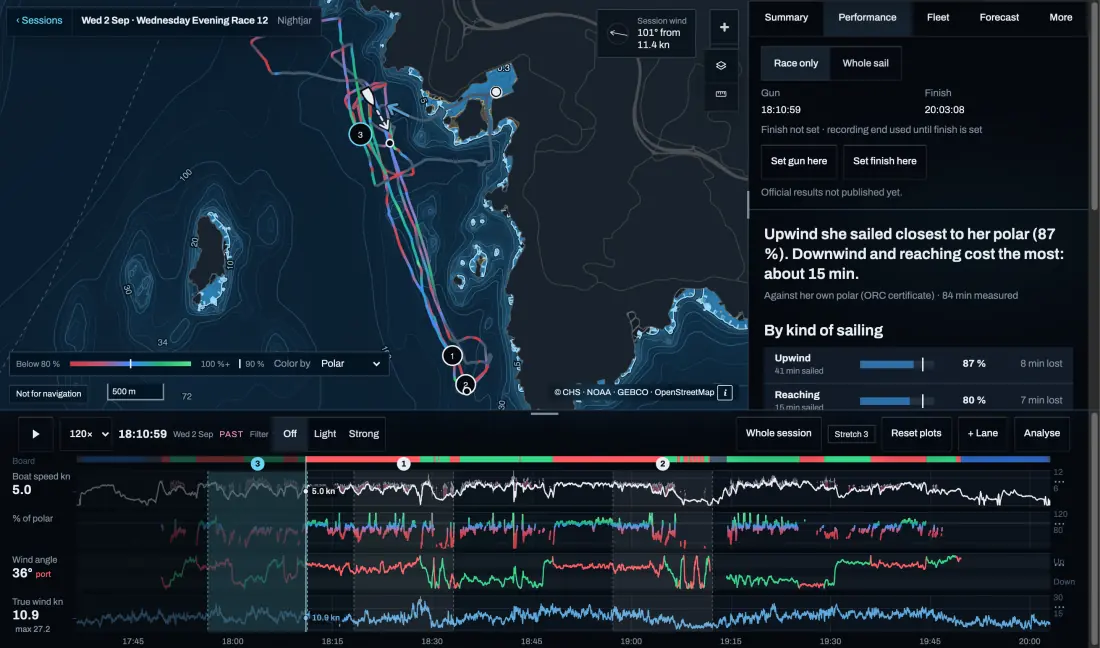
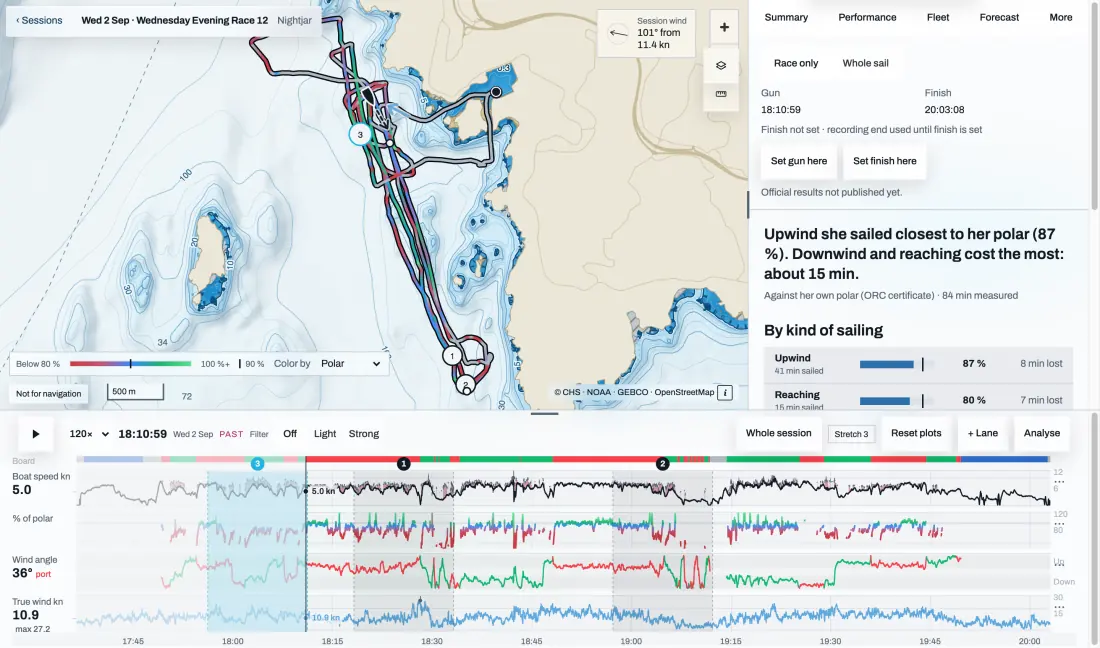
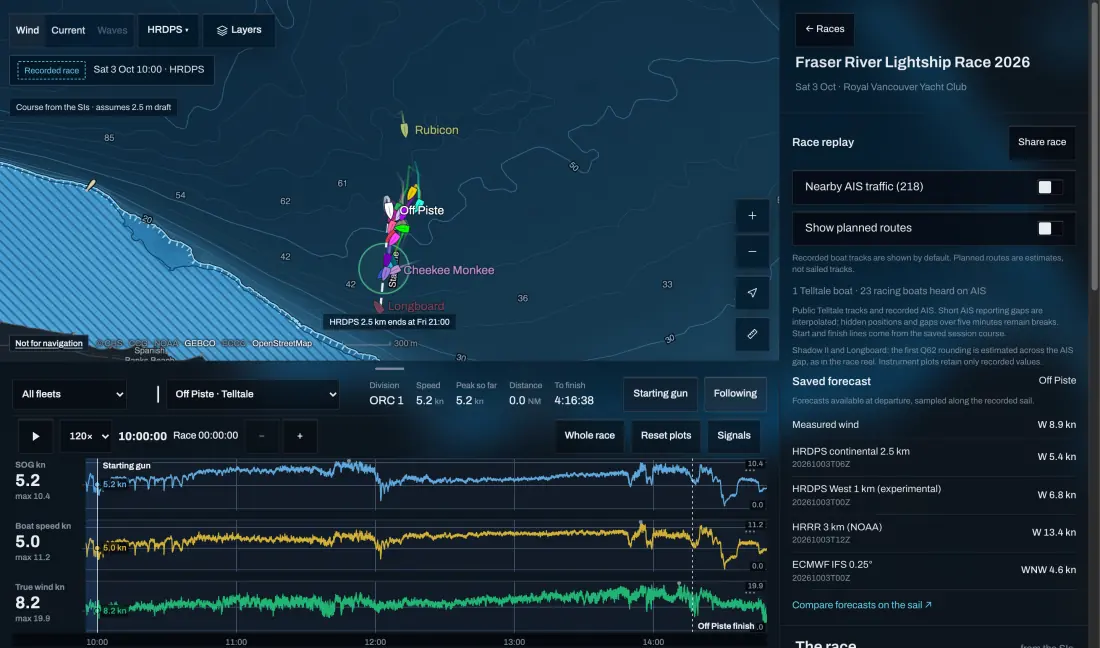
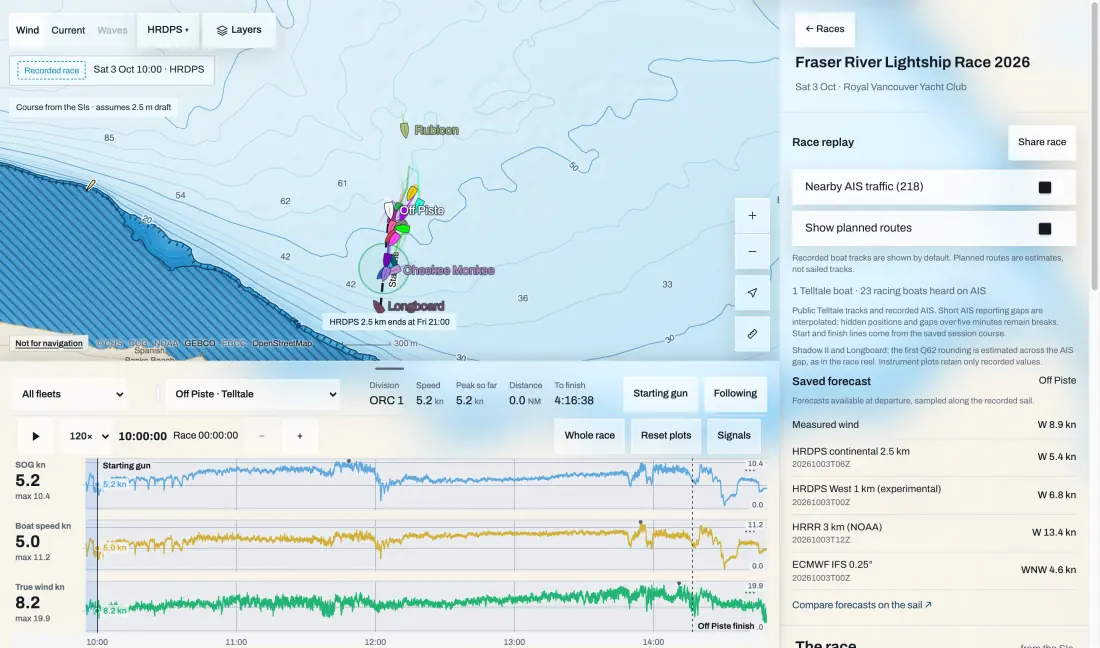
Each sail becomes a session. The track is coloured by tack, with motoring in blue. The panel on the right sums the sail up, and the lanes along the bottom run wind angle, boat speed and true wind against time. Move the cursor anywhere and the boat, the lanes and the readings move together.
Replay and the lanes
Press play, or drag along the lanes to any moment.
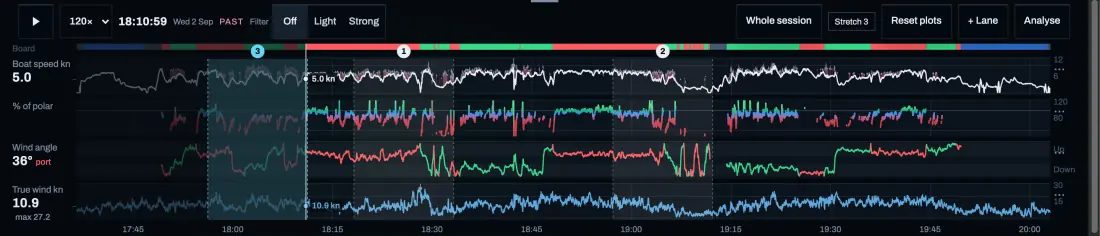
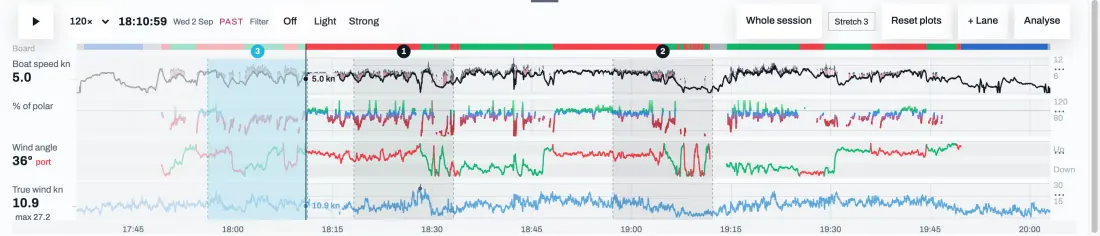
Play the sail back faster than real time, or drag the cursor to a moment. + Lane adds any recorded channel: speed through the water, percent of polar and its target, speed over ground, true wind direction, depth, heel, apparent wind, sea temperature, pressure and the crew’s heart rate. Colour by switches the track from tack to percent of polar, and Analyse opens the chart and lanes full screen.
How close you sailed to your polar
Every stretch against the boat’s own polar, summed up in one sentence.
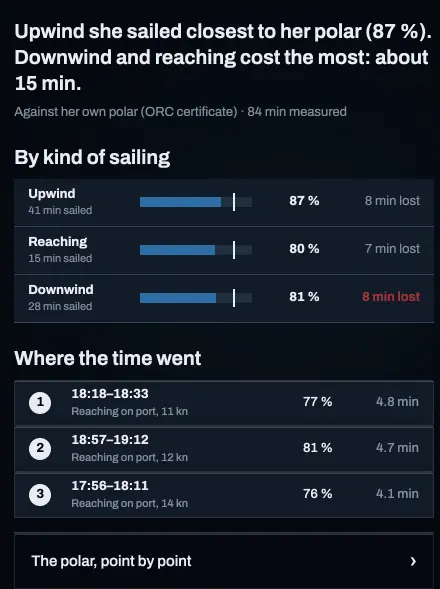
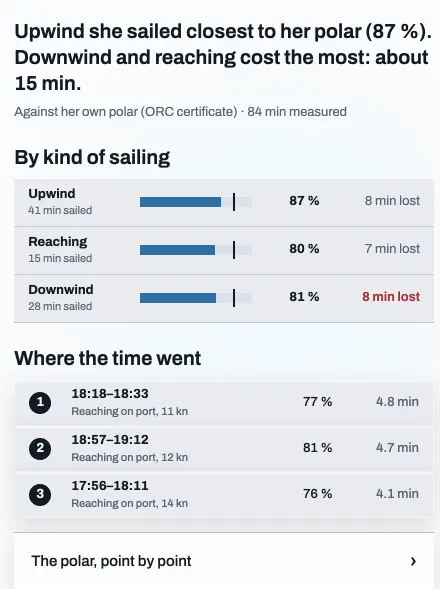
The Performance tab compares boat speed with the polar’s target for the true wind and angle at each moment. It opens with the answer, then breaks the sail down into upwind, reaching and downwind, with the minutes lost on each. Where the time went lists the worst stretches; each is numbered on the lanes and the chart, so you can go straight to it.
Race only or Whole sail sets what counts, and the owner can set the gun and the finish if the recording ran long. It needs boat speed, wind and a polar. A log that reads low makes every stretch look slow, so calibrate it first.
Against your rivals
In a race, each boat heard on AIS is set against you, mark by mark.
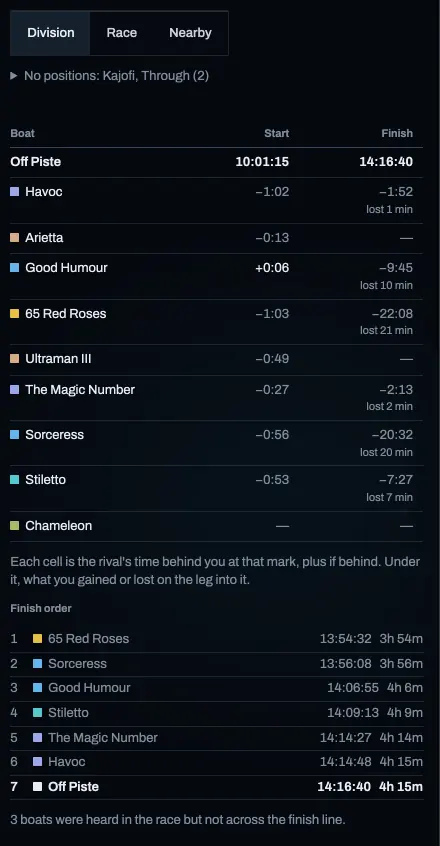
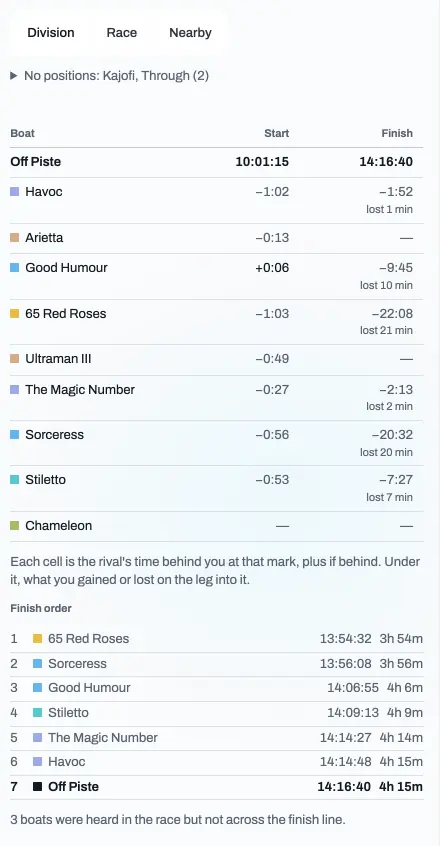
The Fleet tab lists the boats in your division with each one’s time behind or ahead of you at the start and at every mark, and what it gained or lost on the leg into it. The finish order follows, with elapsed times. Race and Nearby widen the list to the whole race, or to every boat sailing near you.
Their tracks are drawn on the chart with yours, so the replay shows who went which way and when it paid. The fleet comes from AIS, so a boat without it isn’t there.
Which forecast was right
Each model’s wind along your track, against what you measured.
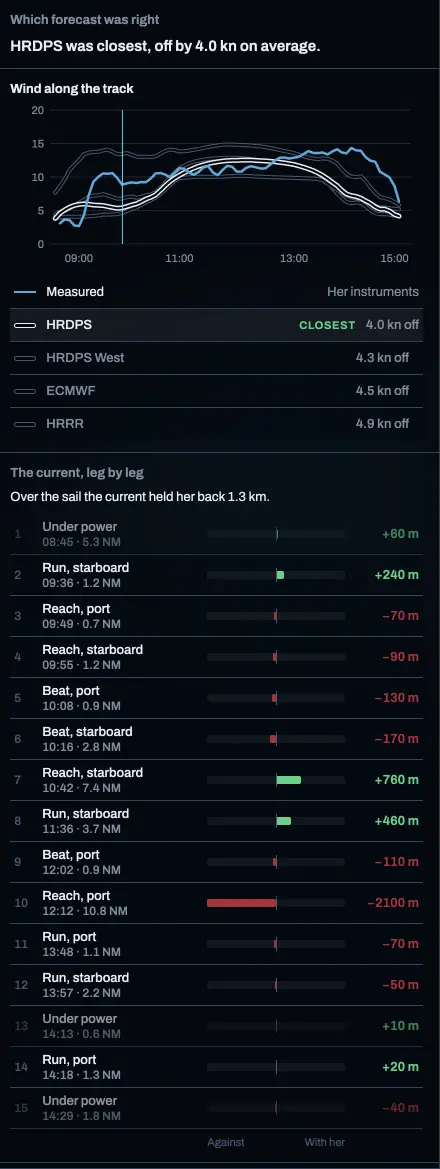
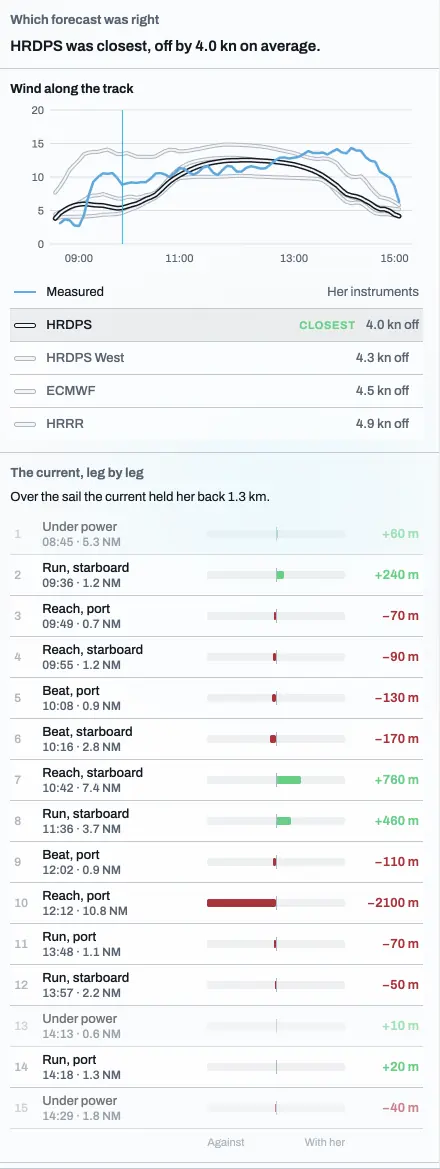
The Forecast tab samples every model along the track at the time you were there and says in one line which came closest and by how much. Under the chart of measured wind, the models are listed closest first; tap one to draw it in ink. The current, leg by leg, is one bar per leg: green where the tide carried you, red where it held you back, with the net over the sail above it. Tap a leg to replay it.
Notes, sharing and export
Keep the debrief with the sail, and take the data anywhere.
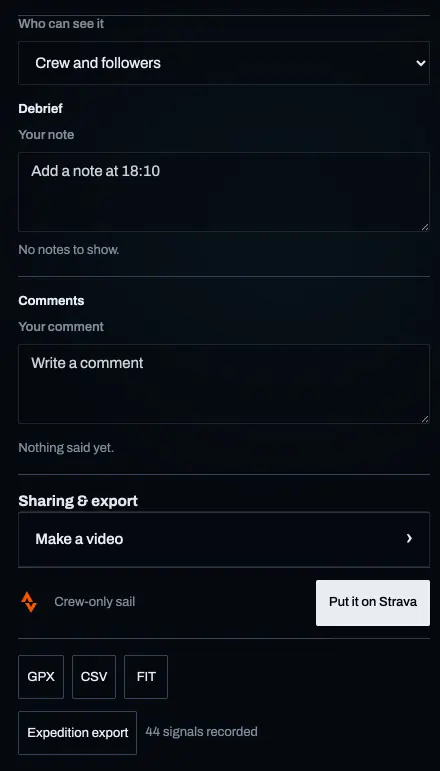
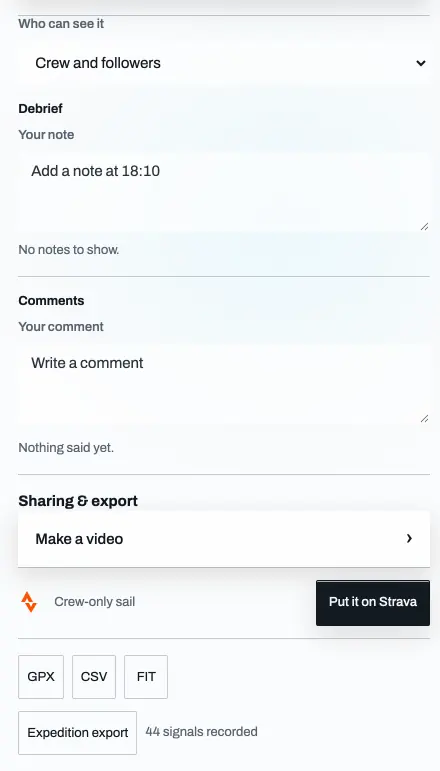
Under More, the crew add notes pinned to a moment of the sail, and the owner chooses who can see it: only the crew, crew and followers, or anyone with the link. Make a video turns the replay into a clip. GPX, CSV and FIT downloads and an Expedition export take the data to other tools, and the people aboard can send the sail to Strava.
Getting a recording worth reviewing
A few minutes at the dock saves an empty debrief.
Most gaps in a review start before the boat leaves.
- Start recording before you leave, so the start of the race isn’t lost.
- Check the instruments read sensibly: boat speed close to SOG in still water, the wind angle swinging when you tack.
- If the phone is the recorder, keep it on the boat Wi-Fi and charged.
- If an instrument drops out, its lane shows the gap rather than a guess.
Sources and review
Official references checked on 2026-10-11. Product details and schedules change; the provider’s page is the current word.