

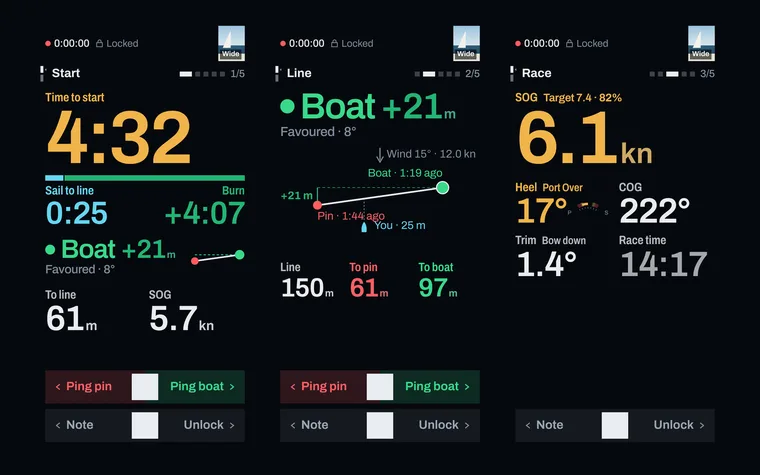

A dinghy has no mast display, and a keelboat's is never in the right place at the start. Phone fixed to the boat turns a mounted phone into one: big figures, five pages, and controls that spray cannot press.
1. Switch it on
The display needs a recording. Open Onboard in the app, start recording, and turn on Phone fixed to the boat in the recording options. How it works under the switch replays the first-run tutorial.
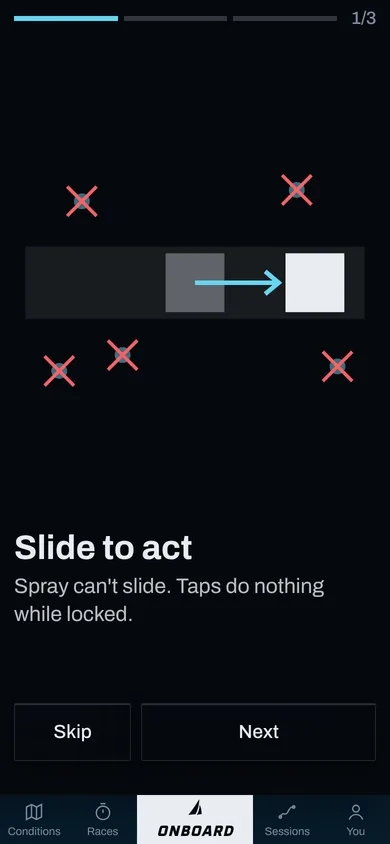
Locked, the phone shows only the display. The first time, three screens explain it. The one rule: slide, because taps do nothing while the screen is locked.
2. Start: time, line and bias
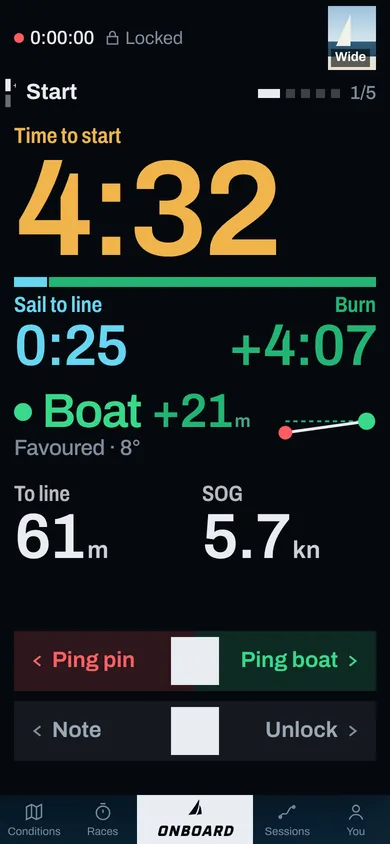
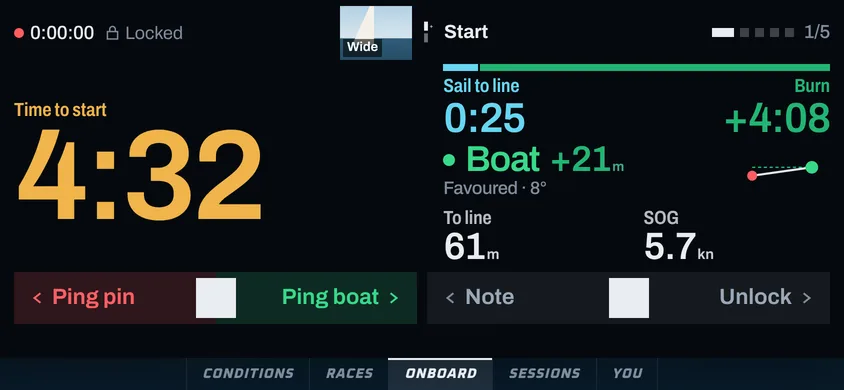
Before the gun the display opens on Start. Time to start is split into Sail to line, the time it takes at your speed, and Burn, the time in hand, which changes colour when it runs short. Beside it are the favoured end with its advantage in metres, your distance to the line and your speed.
3. Line: ping both ends
Line draws the start line as the helm sees it looking upwind: pin on the left, committee boat on the right, your boat below. Before the gun, slide Ping pin left as you pass the pin and Ping boat right as you pass the committee boat. Each end shows the age of its ping, and the line length, your distance to each end and the bias update from them.
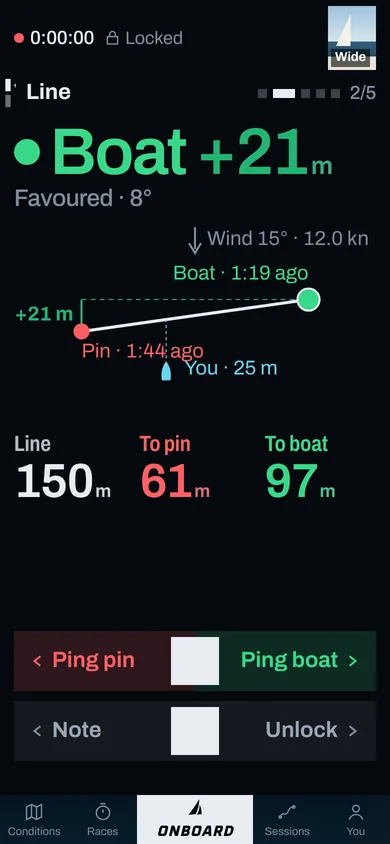
The bias needs wind. Without it the display says Wind needed rather than guess.
4. Race and Mark
At the gun, a display still on Start or Line moves to Race once. After that the page you choose stays.
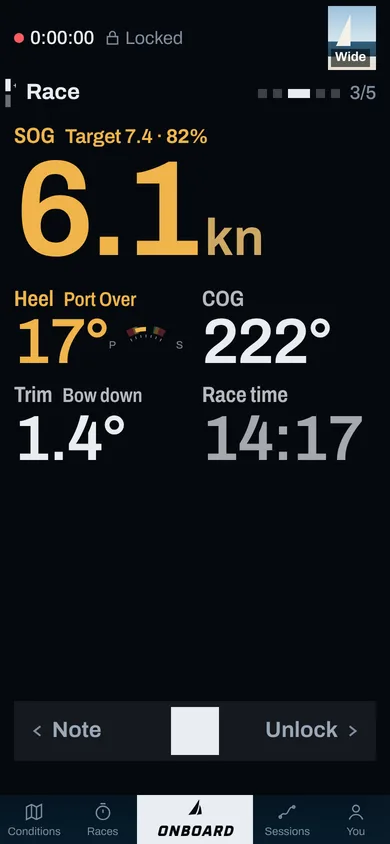
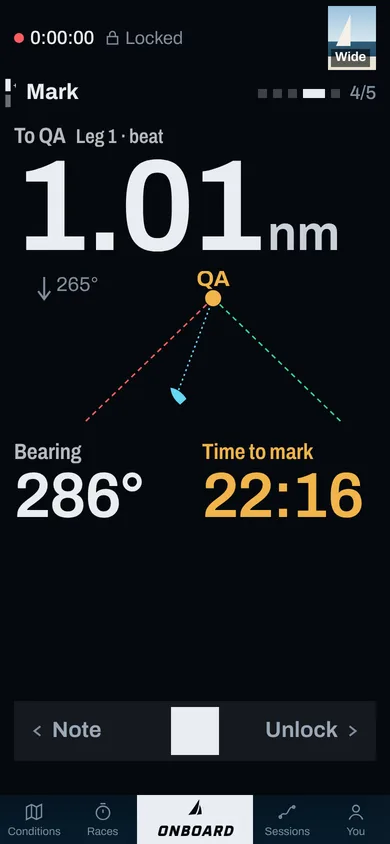
Race shows speed against target with the percentage, a heel gauge with its power band, course over ground, trim from the phone's sensors and race time. Mark shows distance, bearing and time to the next mark, with the laylines.
5. Changing pages and unlocking
On Android the volume up and down keys move through the pages and wrap at either end. On iPhone the tutorial says to slide the screen name. The fifth page, Camera, shows the front camera at the widest view the phone has, labelled Wide with the angle when the phone reports it.
To do more, slide Unlock. For 15 seconds the display shows buttons for pings, a voice Note, Map and a hold-to-stop control, then it locks again. In landscape it lays out in two columns.
What it needs
- The Telltale app, recording an Onboard session. The switch only appears once a recording is running.
- A mount that holds the phone firmly. The slides keep spray from pressing anything; they do not make the phone waterproof.
- Wind for the line bias, and a polar target for speed against target.