

What works
Files from any Atlas, and a Bluetooth link to an Atlas 2.
Telltale reads the .vkx format Vakaros publishes (version 1.4) and the CSV that Vakaros Connect exports. A Preview adds a live Bluetooth link to an Atlas 2 on the iPhone and Android apps.
| How | Where | What you get |
|---|---|---|
| .vkx file | Phone share sheet, web Import | A session on your boat |
| Vakaros Connect CSV | Phone share sheet, web Import | A session on your boat |
| Atlas 2 live (Preview) | Record, iPhone and Android | Heading, heel, trim and speed while you record |
| Atlas 2 paired | iPhone and Android | Finished sessions imported on their own |
References 1
What comes through
Every channel the Atlas logged, filed like any other recording.
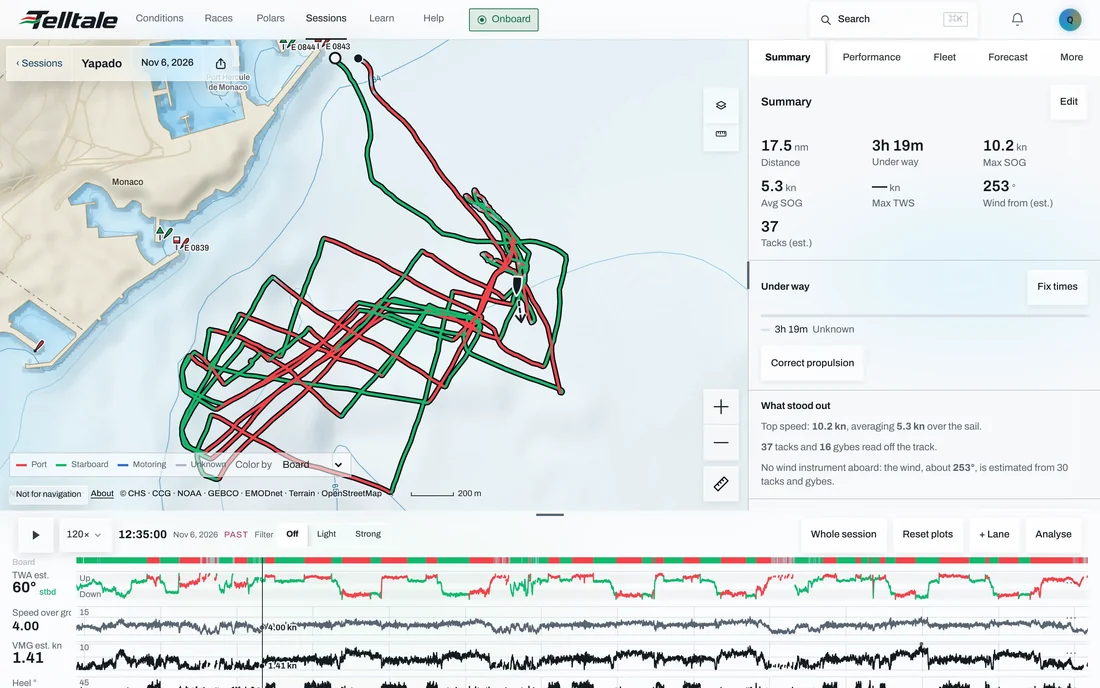
An imported log becomes a session on your boat: the track, the speed and every channel recorded, with the same analysis as a sail recorded aboard. It shows up in about a minute.
- Position, SOG and COG.
- Heading, heel and trim.
- The race timer, and both start-line ends you pinged.
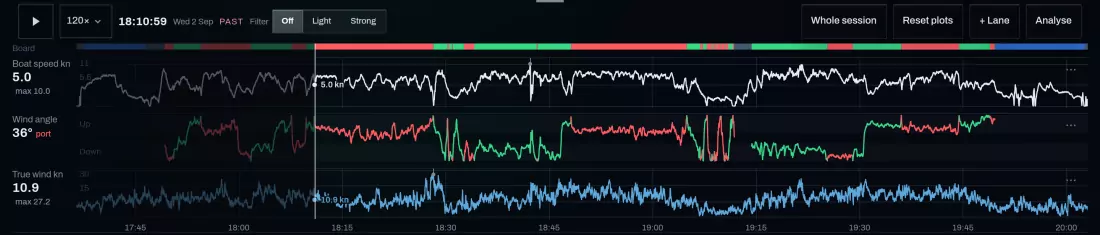
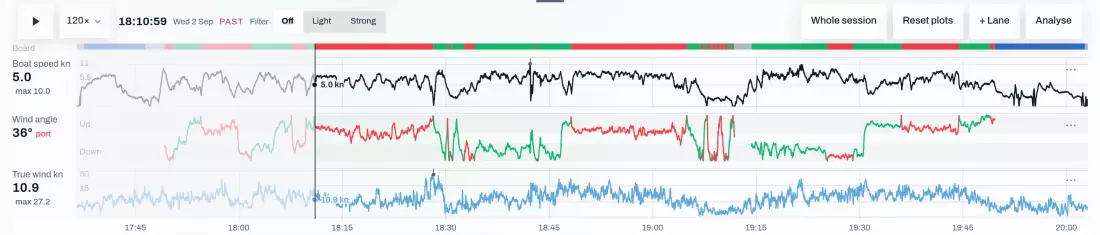
- Wind, speed through the water, depth and water temperature, when the Atlas had a Calypso wind sensor or a transducer.
References 1
Wind without a wind sensor
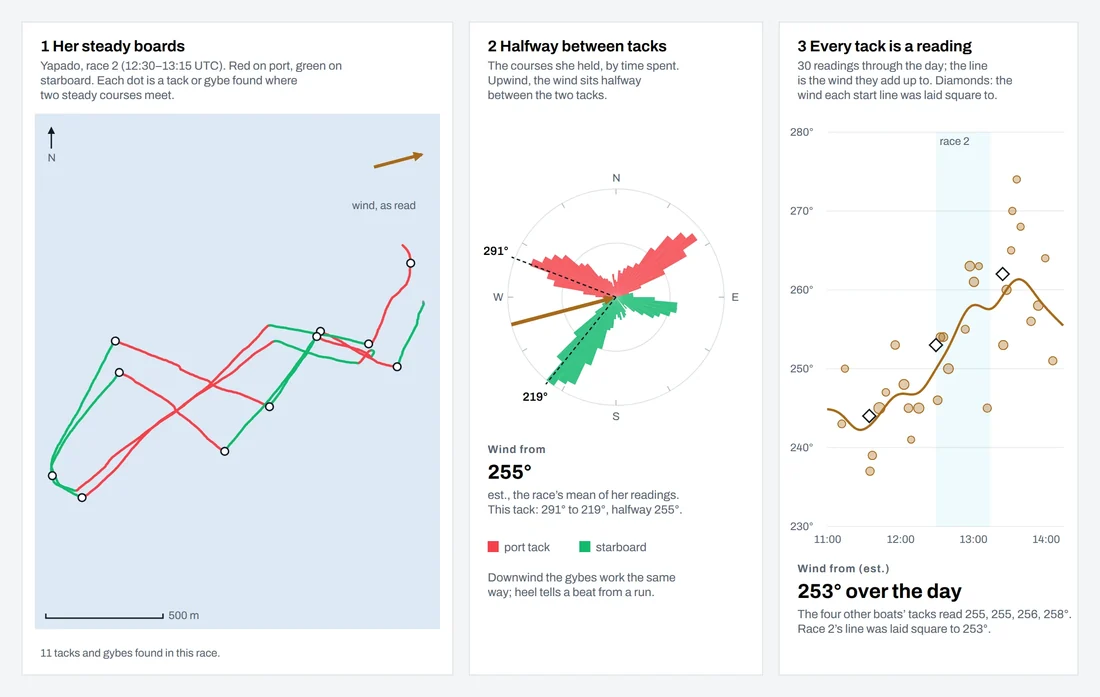
Your two tacks straddle the wind, so the line halfway between them points at it.
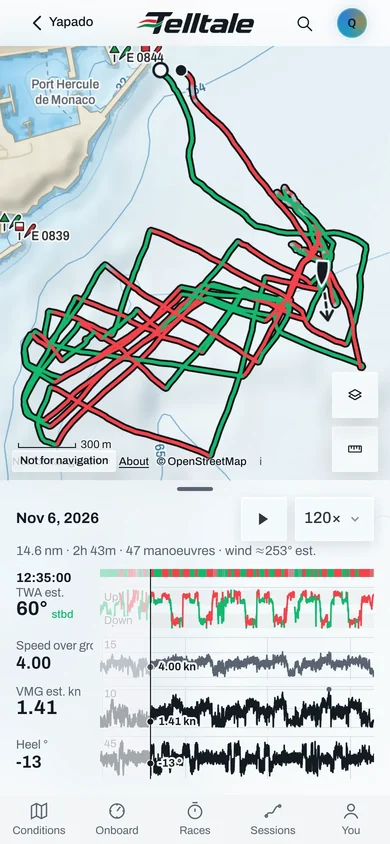
An Atlas on its own logs no wind. On a beat, Telltale takes each tack as a reading of the wind direction; heel tells a beat from a run. That gives port and starboard boards, true wind angle, tack and gybe counts and VMG, each marked est. A shift through the afternoon shows, because every tack is a new reading.
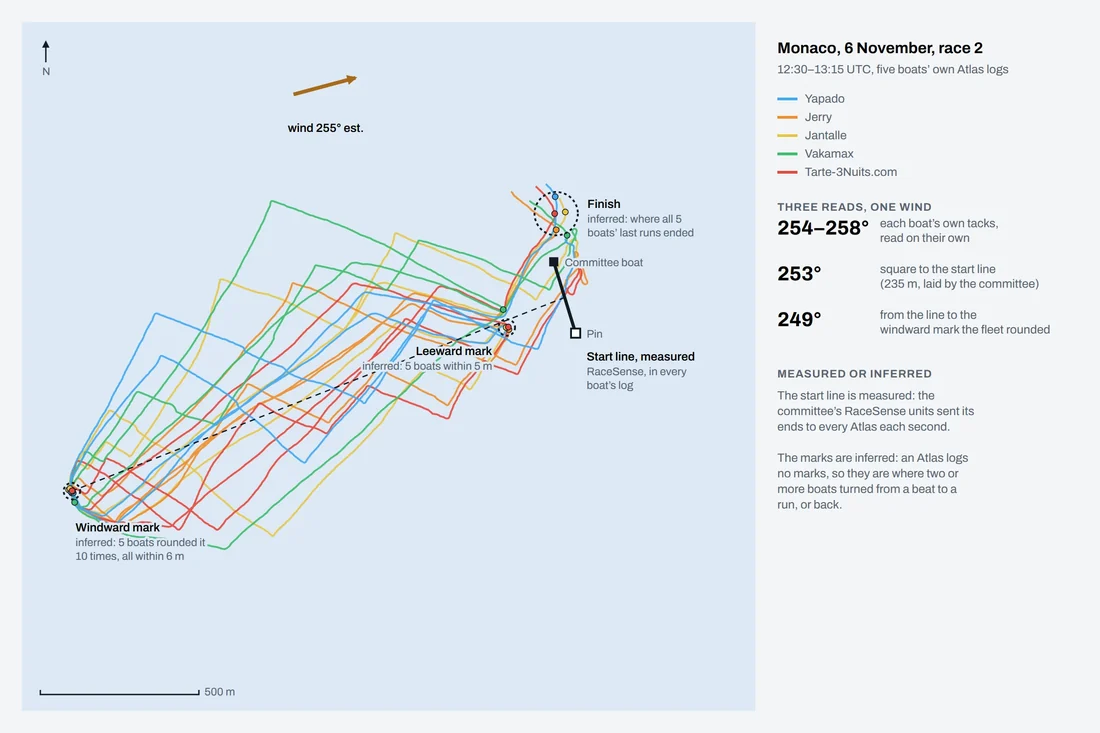
Off Monaco, Yapado’s tacks put the wind at 253° for race 2. The committee had laid the start line square to 253°.
The course, from the fleet
An Atlas logs the start line but no marks. The boats’ turns give the marks.
A boat that stops beating and starts running has just rounded the windward mark; the leeward mark is the reverse. With five boats’ logs from a Monaco race day, all five rounded the windward mark within 6 m of each other, twice each.
Your track in the race
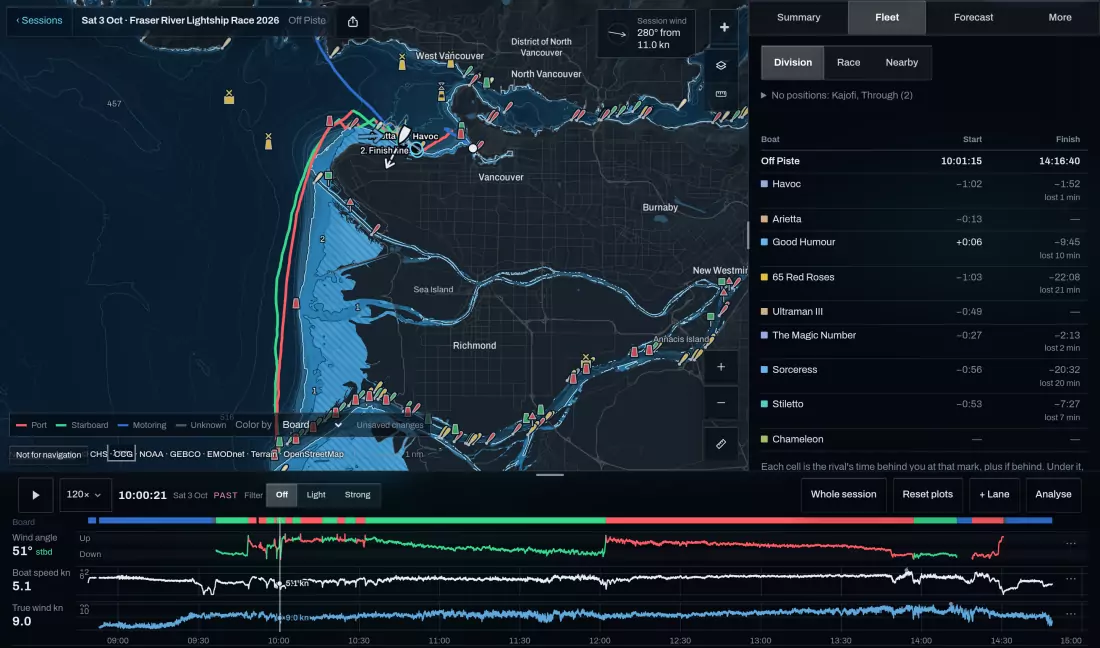
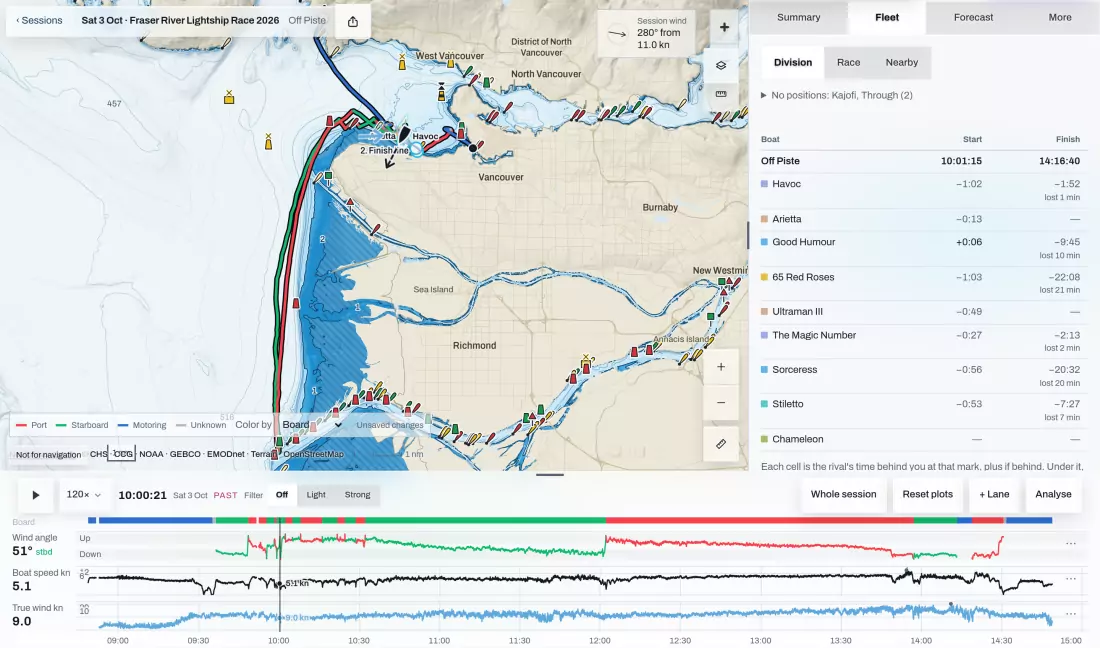
An imported log fills your boat’s track in a race Telltale follows.
Race trackers drop positions. When your log was sailed in the time and place of a tracked race, the import fills the holes in your boat’s track with your own positions, so the replay and the analysis use your data, not the tracker’s gaps.
Straight from your phone
Share the file to Telltale and it is on your boat in seconds.
Share a .vkx or a Vakaros Connect CSV from Vakaros Connect, Files, Mail, AirDrop or WhatsApp and choose Telltale. With more than one boat, Telltale asks which. On the web, Sessions, Import takes several files at once, or a zip of a season.
Live from an Atlas 2
Record heading, heel, trim and speed live, beside the phone’s GPS or the boat’s instruments.
On the Record tab, tap Find beside Vakaros Atlas 2 and pick your unit. While you record, Telltale keeps every live packet (heading, heel, trim, SOG and COG) and reads the open session’s log for position, wind, speed through the water and depth. The Atlas 2 link is a Preview on iPhone and Android.
Once paired, the phone reconnects to the Atlas when the app starts and pulls the sessions the Atlas has finished, at least two minutes long, each one once. Recording comes first: the pull pauses while you record and carries on after. Tap Disconnect on Record to stop it.
Troubleshooting
Most problems are the file or the Bluetooth link.
Each imported file reports its result, so a file that did not become a session says why.
- No Atlas found: switch it on and hold it close to the phone, then tap Find again.
- The Atlas did not connect at the start: Telltale records with the phone’s GPS; tap Find to try again.
- A file is refused: check it is the .vkx or the CSV, not a screenshot or a link.
- The session is on the wrong boat: add the boat first, or pick it when Telltale asks.
Questions
Which Vakaros units work with Telltale?
Any Atlas’s .vkx file and any Vakaros Connect CSV import. The live Bluetooth link and the automatic import of finished sessions are for the Atlas 2.
Do I need a wind sensor?
No. Telltale estimates the wind from your own tacks and marks it est. When your Atlas logged a Calypso wind sensor, that wind comes through as measured.
Does Telltale change anything on my Atlas?
No. Telltale reads the Atlas’s logs and live data; it never writes settings to the unit, and your sessions stay in Vakaros Connect too.
Can I import a whole season at once?
Yes. On the web, Sessions, Import takes several files at once or one zip of many logs, and each file reports its own result.
Does it work in a race Telltale tracks?
Yes. A log sailed in a tracked race fills your boat’s track there, so the replay and the race analysis use your own positions.
Sources and review
Official references checked on 2026-11-23. Product details and schedules change; the provider’s page is the current word.