

Three ways to use a Garmin
Choose the path that fits how you already record.
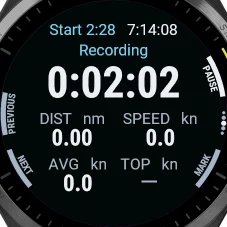
A Garmin activity already in Garmin Connect can become a Telltale session through FIT or TCX import. That is the starting point for a past sail: bring the activity file to the boat’s log and open it alongside your other recordings.
The Telltale Connect IQ app is for recording and reading instruments on the wrist. The separate Telltale Data Field is for sailors who prefer Garmin’s own activity screens. Both receive readings from the Telltale phone app; choose between them by how you want to use the watch while sailing.
Import from Garmin Connect
Start with the original activity file.
Open connect.garmin.com in a browser and open the activity. Choose Gear icon → Export Original. Keep the downloaded ZIP intact, then open Sessions in Telltale, press Import and choose it. The Get the file section offers Garmin instructions under Your app or device if you need a reminder while importing.
FIT and Garmin TCX are both accepted. You can also share a downloaded file to Telltale from the phone’s share sheet. With several boats, choose the one that sailed the activity. On the web, select several files together or bring a ZIP of logs; each file reports its own result.
What a FIT file brings
The recording supplies the track and the readings.
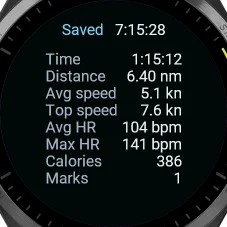
Telltale brings in recorded time, position and speed, with heart rate and temperature where the activity contains them. Open the resulting session to follow the track and review the recorded channels. A GPS sail gives you a useful record of where the boat went and how fast it moved over the ground.
Choose this path when the sail is already saved in Garmin Connect and you want it in the same boat log as your other days afloat. It does not require setting up the Telltale watch app before that sail. Keep the original export so you have the activity file to hand when checking an import.
The Telltale watch app
GPS recording, boat instruments and the start timer on your wrist.
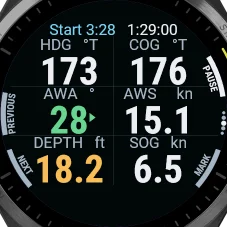
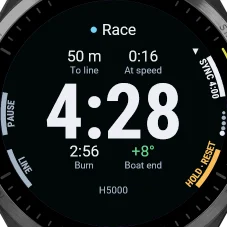
The app records the watch’s GPS and pulse, including a sail without a phone. With the phone connected, it also receives the boat’s wind, heading, depth, VMG and systems readings. Those instrument values come from Telltale on the phone; the watch supplies its own GPS and pulse.
The existing Garmin guide covers the pages, start line, timer and B&G connection in detail. Use it for the full sailing setup and the controls you will use aboard. Here, the choice is simple: use the app when you want Telltale’s sailing pages and recorder on the watch.
Keep Garmin’s activity screens
Add Telltale readouts with the Telltale Data Field.
The Data Field puts Telltale readings into a slot on Garmin’s own activity screen. It suits a sailor who wants to stay in Garmin’s Sail activity while seeing readings from the phone. It also writes those readings into the activity’s FIT file.
This is a separate Connect IQ download from the Telltale app. Decide which activity screen you want first, then choose the matching download. The app gives you Telltale’s pages; the field adds readouts to an existing Garmin activity. The detailed watch guide links both downloads.
Choose the boat before sailing
Watch recordings return to the last boat you chose.
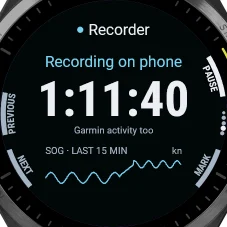
In Connect your Garmin on the phone, choose the boat under Recordings go to and press Use this boat. A watch-only recording uploads to that boat when the watch reconnects to the phone. Check the selection before sailing a different boat, especially if you move between a dinghy and a larger boat.
Troubleshooting
Check the file, connection and save destination.
Garmin’s phone app has no activity export; use the Connect website. A FIT import reads standard activity readings, so extra fields added by other watch apps do not necessarily appear. Check the imported channels before expecting wind or other instruments from a file.
If the watch is disconnected, check its connection in Garmin Connect, open Telltale on the watch and use Check connection on the phone. If saving fails, keep Telltale open on the watch and choose Retry Garmin save. Android starts made while the phone is locked record on the watch.
Questions
Can I record without the phone?
Yes. The Telltale watch app records GPS and heart rate, then uploads its log through the phone when it reconnects.
Is saving to Garmin Connect the same as uploading to Telltale?
No. Garmin Connect save and sync are separate from the Telltale upload.
Do the app and Data Field support the same watches?
No. They have separate compatibility lists; check the listing for the download you want.
Does the watch measure the boat’s wind?
No. Live wind and other boat instruments reach the watch from Telltale on the phone.
Sources and review
Official references checked on 2026-11-23. Product details and schedules change; the provider’s page is the current word.