

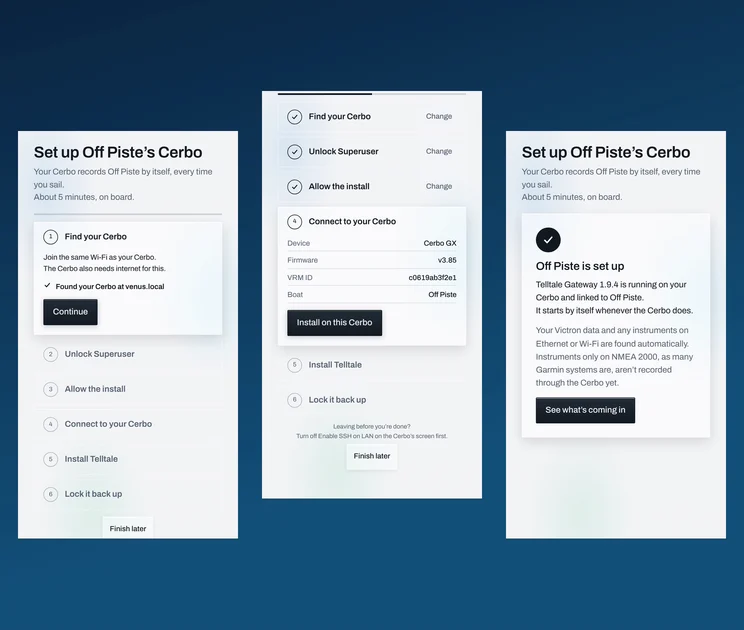

Thousands of boats already carry a Victron Cerbo GX. It's the little blue box that looks after your batteries, solar and shore power. It's always on, it runs off the house bank, and it sits on the boat's network.
Now the Telltale app turns it into your boat's own recorder. Every sail, recorded by itself. No phone to charge, nobody who has to remember to press record. Set it up once, from your phone, in about 5 minutes.
Why a Cerbo GX makes the perfect sailing logger
A phone is a great recorder, until it goes flat at the second mark, or stays in the car. The Cerbo has none of those problems.
- It's already aboard. Nothing to buy, nothing to mount, no new wires.
- It's always on. It records a three-day passage as easily as a Wednesday night race.
- It works offline. It records at sea with no signal and catches up when it's back in range.
- It's on the network. It hears the instruments on the boat's Ethernet or Wi-Fi, next to its own Victron data.
Set it up in six steps
Open Telltale on the boat's Wi-Fi. If the app sees a Cerbo, it offers to set it up: "It can record your boat by itself, every time you sail, without this phone." You can also start from You → Boats. Each step has ticks, and the app checks what it can see for itself.
1. Find your Cerbo. Join the same Wi-Fi as the Cerbo. The app finds it on its own.
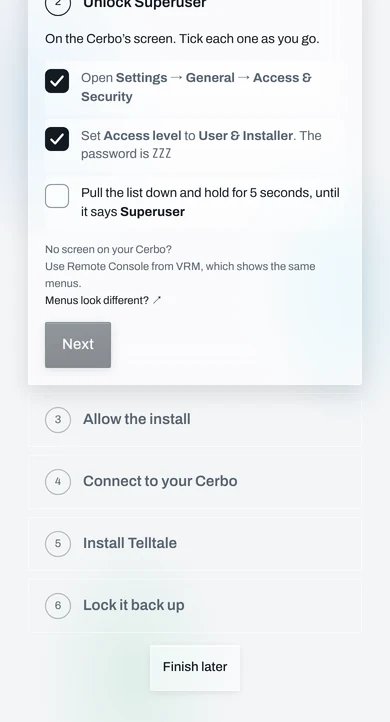
2. Unlock Superuser. On the Cerbo's screen: Settings → General → Access & Security. Set Access level to User & Installer, then pull the list down and hold until it says Superuser. No screen? Victron's Remote Console in VRM shows the same menus.
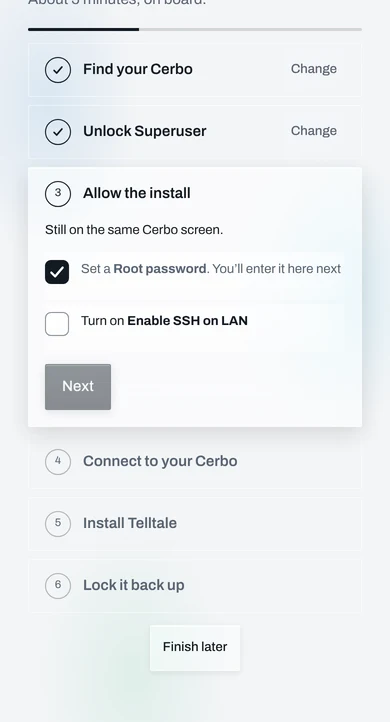
3. Allow the install. Set a root password and turn on Enable SSH on LAN. The app notices the moment it's on.
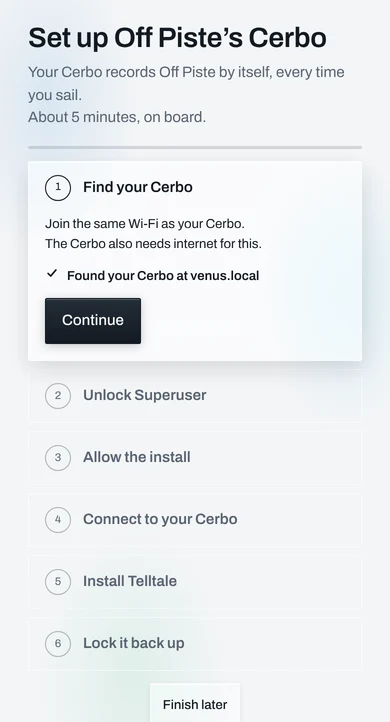
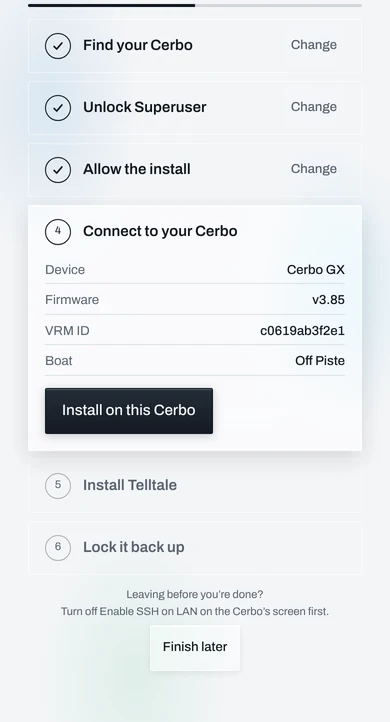
4. Connect. Type the password you just set. Before anything is installed, the app shows you the device, its firmware, its VRM ID and your boat, so you know it's your Cerbo.
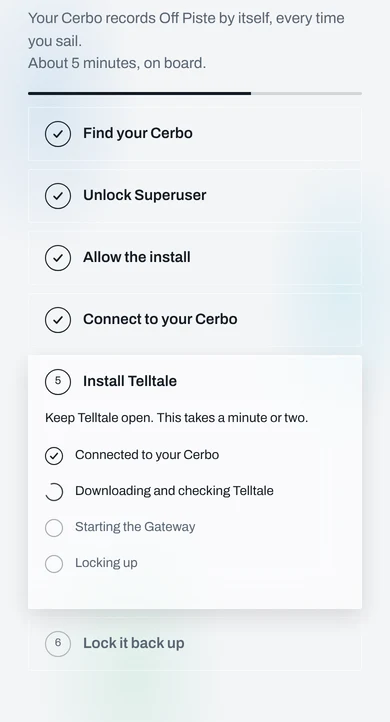
5. Install Telltale. One tap. The app downloads the signed Telltale Gateway, checks it, starts it and links it to your boat. It takes a minute or two.
6. Lock it back up. The install was the only thing that needed SSH, so the app turns it off again and checks it stayed off.
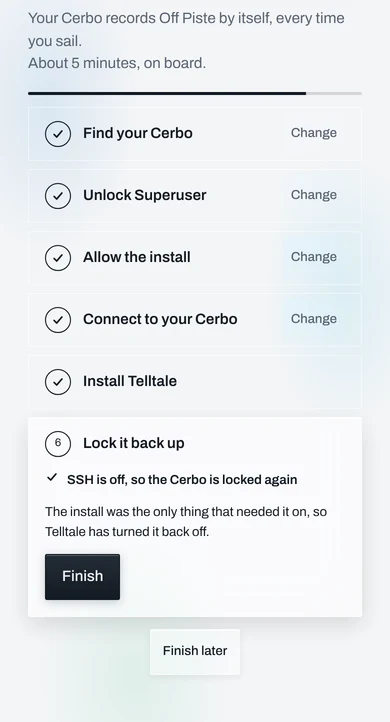
That's it. Your boat is set up.
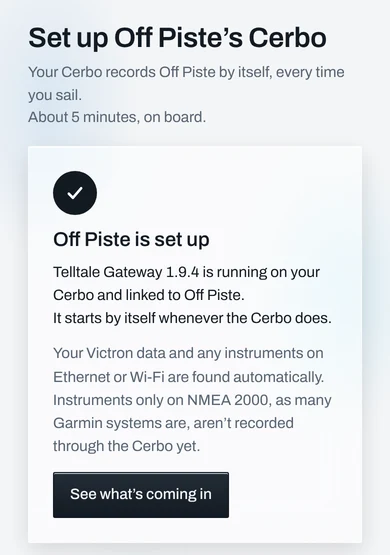
What you get
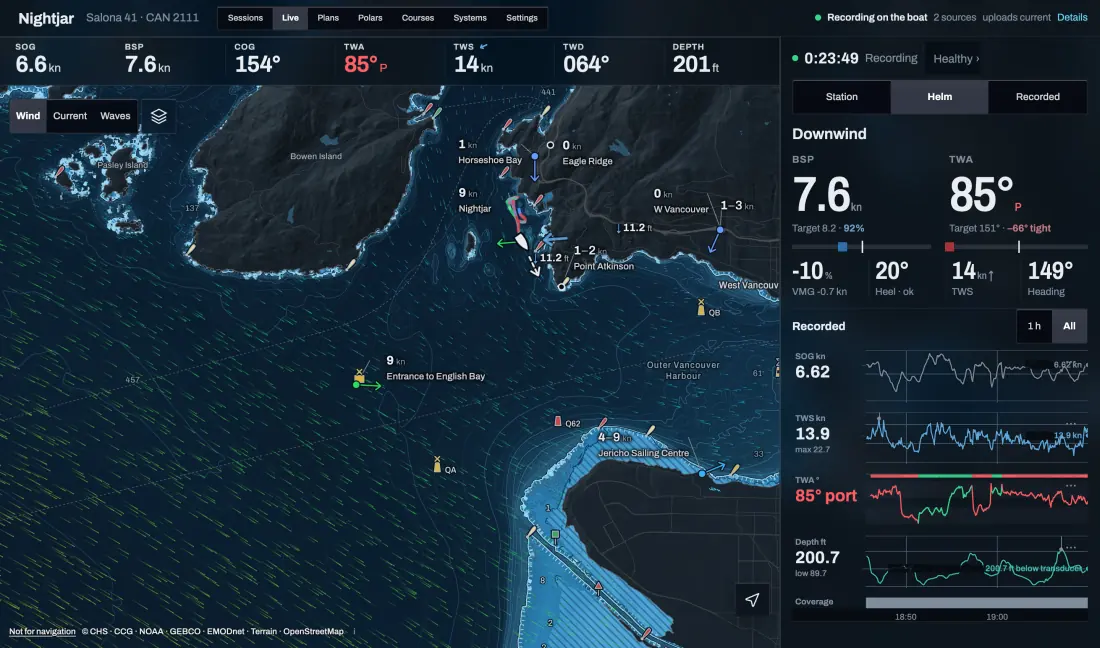
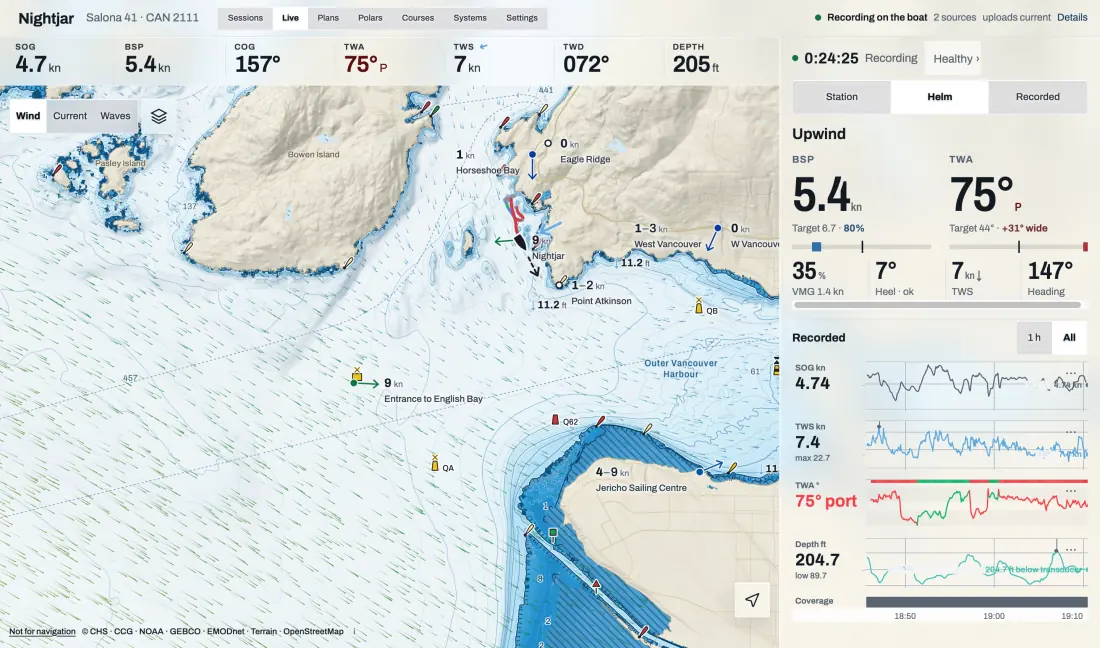
Every sail, without thinking about it. Track, speed and heading, wind and depth from the instruments on the boat's network, and your Victron batteries, solar, shore power and tanks. Each sail shows up in Sessions a few minutes after it uploads, ready to replay, compare and share.
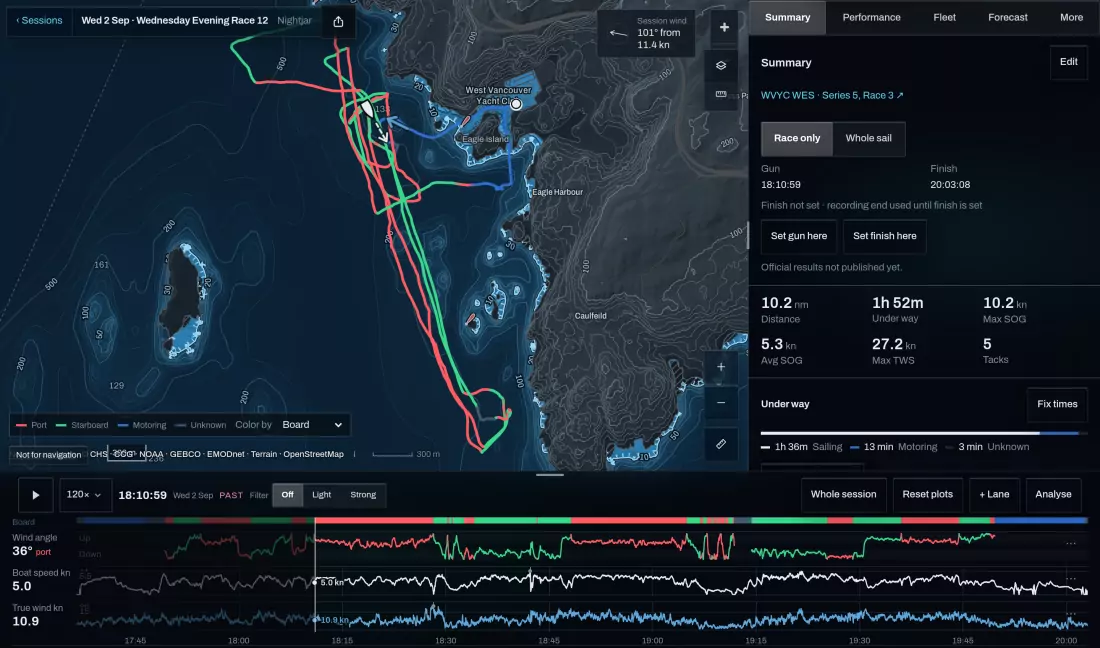
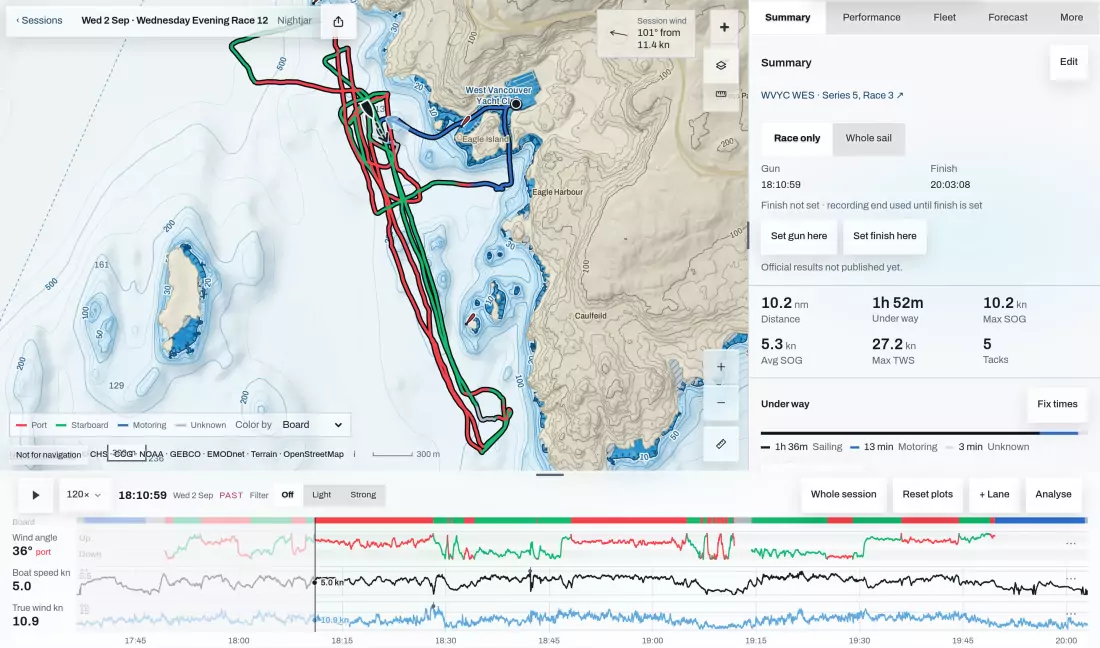
It looks after itself. The Gateway updates itself at the berth, never while you're sailing. If a new version doesn't start, it goes back to the last one.
You stay in charge. In You → Gateways & devices you can pause and resume recording, look for new instruments, or send diagnostics to us in Help chat.
Safe on your boat's systems
Your Cerbo runs your power, so we were careful.
- It doesn't change your Venus OS settings, CAN or MQTT, and leaves other community packages alone.
- It lives in the Cerbo's data area, so it comes back after a firmware update.
- It always keeps free space on the Cerbo, and stops recording before it runs low.
- Your root password is used for this install only. It's never saved and never sent to Telltale.
- The installer is signed and checked before it runs, and the app only talks to addresses on the boat's own network.
Good to know
- The Cerbo needs internet for the install. Most do, through the boat's Wi-Fi or router. After that it records offline and uploads when it can.
- Instruments only on NMEA 2000? Join the Cerbo to the backbone (optional; our guide: Connect your Cerbo GX to NMEA 2000) and Telltale Gateway records them too.
- It's brand new. If anything looks off, tap Stuck? Chat with Arek in the setup and I'll help you myself.
Questions sailors ask
Do I need a laptop, a terminal app or a USB stick?
No. The Telltale app does the whole install from your phone.
Will it get in the way of VRM?
It doesn't change your Venus OS settings, so VRM and the rest of your Victron setup carry on as before.
Does it record without internet?
Yes. It records at sea with no signal and uploads when the Cerbo is back online.
Which Venus OS version does it need?
It's been run on Venus OS v3.85. The installer checks your Cerbo first and stops, changing nothing, if it isn't supported.