

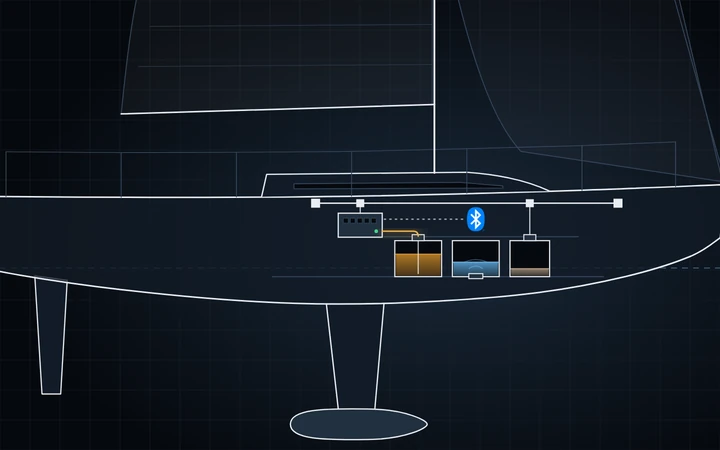

A Cerbo GX reads tank levels three ways, and you can mix them. Each tank then shows on the Cerbo, in VRM, on your plotter over NMEA 2000, and on your boat's page in Telltale, with a low-level warning.

Wired: the senders you already have
1. Find the sender's range
The sender's label or manual gives its resistance at empty and at full. The two common standards are European, 0–180 Ω (often 10–180 Ω in practice), and US, 240–30 Ω. The Cerbo has both built in and accepts any other range within 0–300 Ω. It cannot read 4–20 mA or 0–10 V senders; those need Victron's GX Tank 140.

2. Give the Cerbo its own sender
A gauge drives its own current through its sender, so a Cerbo wired to the same sender makes both read wrong. Either disconnect the gauge and read the tank on the Cerbo and in Telltale, or fit a second sender for the Cerbo.
3. Wire it

Run two wires from the sender to one Tank Level input: the signal wire to + and the return wire to −.
Run the return as a dedicated wire all the way to the sender, rather than through the hull or engine ground. The signal changes by only about 1 V from empty to full, so even a small voltage difference on a shared ground shows up as a wrong level. If the sender has a single terminal, its body is the return: connect the − wire to its mounting flange.
The terminals take ferrule-crimped wire or 10 mm of bare strand. Press the orange tab to release a wire.
4. Turn the input on
Go to Settings › Integrations › Tank and Temperature Sensors and turn on Tank Level input 1 (on older menus: Settings › I/O › Analog inputs). The tank then appears in the Device list.
5. Set it up
In the Device list, open the tank and choose Setup.
| Setting | What to enter |
|---|---|
| Standard | European (0 to 180 ohm), US (240 to 30 ohm), or Custom with the sender's empty and full resistance. |
| Capacity | The tank's volume |
| Fluid type | Diesel, Fresh water, Black water and so on. For a diesel tank shown on a Garmin, Navico or Raymarine Axiom plotter, choose Fuel instead. |
| Custom shape | For a tank that narrows, such as a wedge under a berth: up to 10 points of sensor % against volume % |
| Alarms | A low-level alarm on the Cerbo, if you want one |
Sensor value shows the live reading in ohms. Check the level it gives against a dipstick or sight glass.
Bluetooth sensors
Go to Settings › Integrations › Bluetooth Sensors, turn it on, then enable each sensor the Cerbo finds. Range is about 10 m. Victron lists these as supported:
| Sensor | How it reads |
|---|---|
| Mopeka Pro Check H2O, Pro Check LPG, Pro Check Universal (Venus OS 3.14+), Pro Plus, Pro 200, TD40, TD200 | Ultrasonic, through the tank bottom. Other Mopeka models are not supported. |
| Gobius C (sensor firmware 4.1.0+), Gobius Pro | From outside the tank wall |
| Safiery Star-Tank | Radar, mounted on top |
| Garnet | Victron lists the brand without model names: check compatibility with Garnet |
Cerbo GX units up to serial HQ2207 can lose Bluetooth when the CPU passes 53 °C. A USB adapter such as a TP-Link UB400 or UB500 fixes it.
NMEA 2000 senders
With the Cerbo on NMEA 2000, it reads tank senders that send PGN 127505, one level per sender. Victron has tested Maretron TLA100 and TLM100, the Navico Fluid Level Sensor, Gobius C for NMEA 2000 and OSUKL 3271 and 3281.
Sources: Victron Cerbo GX manual (Connecting supported non-Victron products) and its tank input chapter.
The Bluetooth® word mark and logos are registered trademarks owned by Bluetooth SIG, Inc.